Pages

Showing posts with label Ed Tech. Show all posts

Wednesday, December 12, 2018

Colorado Google Summit 2018


On November 3rd and 4th over 400 educators, administrators, office professionals, and technology integration specialists descended on Meadowlark PK-8 for the 2018 EdTechTeam Colorado Summit. While Boulder Valley School District has hosted this regional event for years, this year saw a number of changes: a new host school, longer sessions in order to go deeper into application of technology, and a hands-on “playground”.


BVSD had nearly 90 district employees attend the Summit, including several who offered engaging, innovative sessions of their own! Kim Becker from Centaurus High and Dave Crowder from Louisville Middle shared ways to integrate PearDeck into the science classroom. Interim Director of Fine and Performing Arts Aubrey Yeh and her brother Kyle Yeh encouraged student-created BreakoutEDU games. 


Birch Elementary’s Kim Butler and Kelli Trenkamp inspired others to embrace the Maker movement. Kelly Sain, Kiffany Lychock, and Brent Caldwell facilitated a discussion about Meadowlark’s unique design and instructional philosophy. And BVSD’s newest Ed Tech Specialist, Lynn Gershman, led sessions on using G Suite in the math classroom and new ways to collect and interpret student data.


For some highlights from this year’s event, please check out this video:


Did you attend the Colorado Summit this year? We’d love to hear about what you learned! Use the comment section below to share your experiences. If you didn’t make it this year, we hope to see you in 2019!

Tuesday, September 11, 2018

BrainPOP in BVSD: Molly Kirk

Our series of spotlighting teachers who use BrainPOP concludes with Molly Kirk, a 5th grade teacher at Foothill Elementary. To get started, visit the BrainPOP in BVSD webpage, and for more ideas about how to use it in the classroom, check out Part 1 & Part 2 of this blog series!
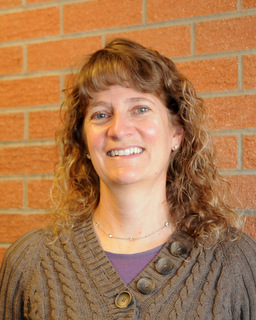


Molly Kirk, 5th Grade Teacher | Foothill Elementary
21st Century Cohort 3.0
Class Website
Molly is currently in her 9th year of teaching 5th grade at Foothill Elementary. She has worked in BVSD as an elementary teacher, a secondary Language Arts teacher and in the GT and Literacy programs. Molly has a Masters in Education from University of Colorado and is endorsed K-12. She is a member of the BVSD 21st Century Cohort 3.0 and thinks the IT department is awesome!


How do you use BrainPOP in your classroom?


One of the things I love about BrainPOP is the versatility. I am able to find a BrainPOP video for almost any topic I teach. Along with the variety of topics, there are also so many different ways to use BrainPOP beyond the videos with Moby.

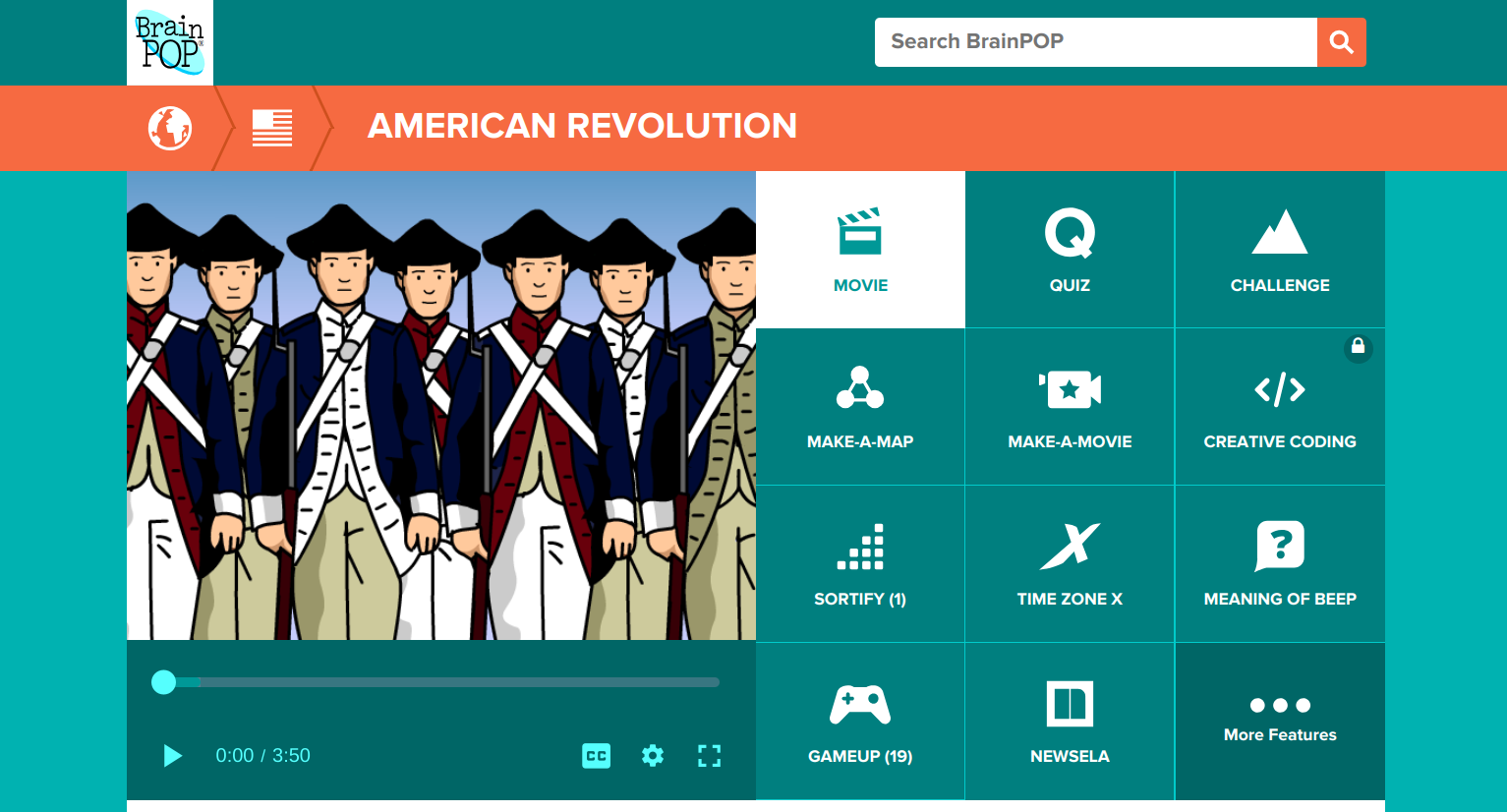
Recently, we watched two videos about the American Revolution as an introduction to the important events leading up to the Revolution. The kids did a scavenger hunt of sorts using the American Revolution Timeline in GameUp. They had a list of six events and needed to put them in chronological order using the Timeline as a resource. Then they could choose three battles of the Revolutionary War to read more about. The additional links in the game were informative and we found the students engaged and seeking additional information on topics that they found interesting.

What do you see as the benefits of using BrainPOP?

BrainPOP allows me to apply the 4 Cs easily. My students can be creative as they design their own Make-A-Map which also taps into their critical thinking skills. I love seeing their thinking as they share Snapthoughts with me which also allows them to communicate their thinking. We frequently use BrainPOP with partners or in small groups to allow students to collaborate. I can differentiate by using the FYI and Activities and I love having access to BrainPOP EspaƱol for my Spanish speakers. They can watch the videos in both English and Spanish to reinforce content specific language. One of my favorite things is that from time to time I will log on and see that my students are using BrainPOP at home to learn about topics they are individually interested in.
Editor’s note: For more information on how to use the educator dashboard, go to the BrainPOP Help Center.

If you had one piece of advice to give about BrainPOP, what would it be?


Go beyond the movies and the quizzes. BrainPOP has so much more to offer that allows you to tap into higher-level thinking skills. So much technology just entertains; the full spectrum of BrainPOP allows students to truly engage in the learning process.

Monday, July 16, 2018

BrainPOP in BVSD: Michelle Eckstein

Our series of spotlighting teachers who use BrainPOP continues with Michelle Eckstein, the Elementary Technology Teacher at Peak to Peak Charter School. To get started, visit the BrainPOP in BVSD webpage, and for more ideas about how to use it in the classroom, check out Part 1 of this blog series!


Michelle Eckstein, Elementary Technology Teacher | Peak to Peak Charter
21st Century Cohort 4.0
@mdeckstein | Website

Michelle has been teaching in elementary schools for 10 years, and is currently the Elementary Technology Teacher at Peak to Peak Charter School. Prior to joining the staff at Peak to Peak, she was the TAG Educational Advisor at High Peaks Elementary and Lafayette Elementary Schools. She has a Masters in Gifted Education from the University of Connecticut and endorsements in elementary education, gifted education, and instructional technology. She loves seeing students authentically engaged when they are creating with technology.


How do you use BrainPOP in your classroom?


I use many of the digital citizenship videos and activities in my classroom as well as using the BrainPOP videos to introduce coding to students. Students and I really like the Meaning of Beep. In this game students compete against the computer or a classmate as they improve their academic vocabulary on the topic being studied.

What is one of your favorite things that you have done with BrainPOP?


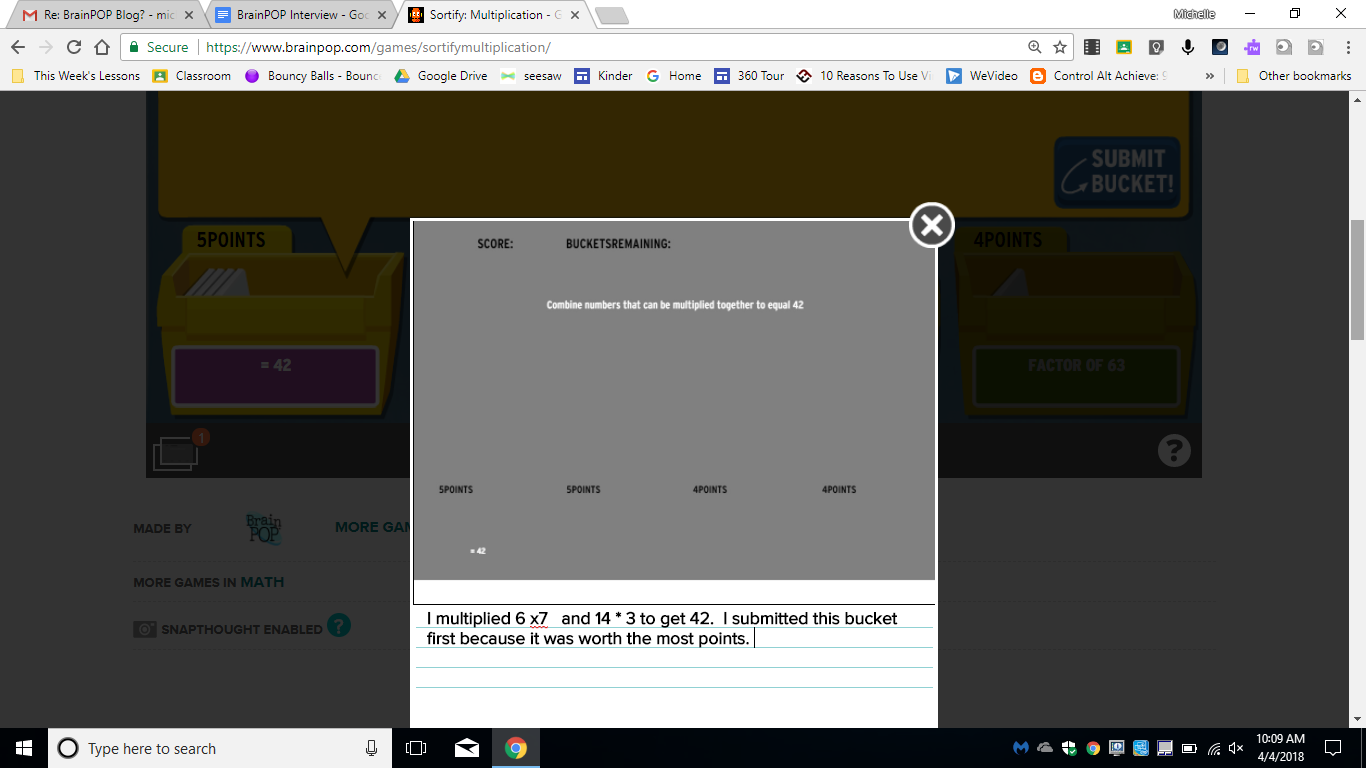
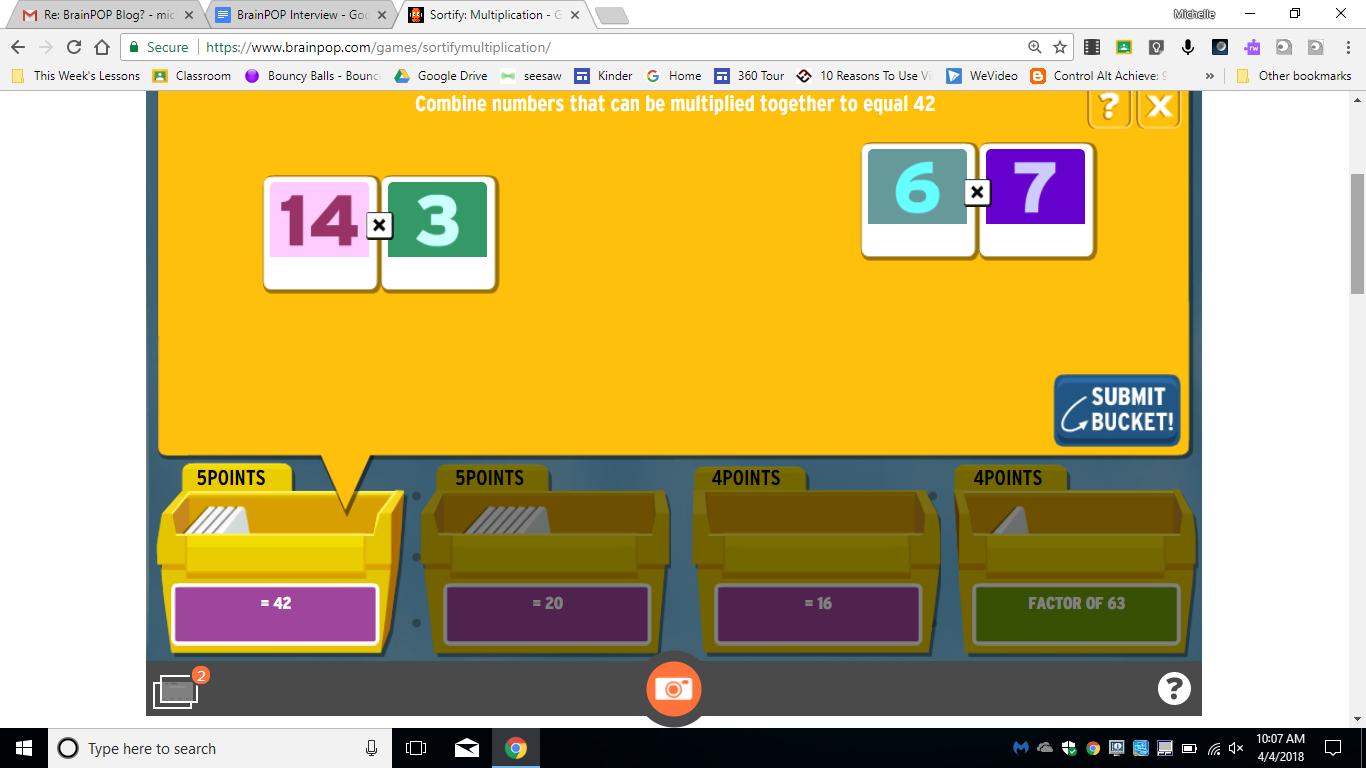
One of my favorite BrainPOP features is the SnapThought tool. Using this tool students can capture their thinking while playing a game. It’s a great tool to use as students play Sortify. SnapThought allows students to grab a screenshot at a moment during game play. They then reflect on their thinking. In the example below, a student is playing Sortify Multiplication and uses the SnapThought tool to take a screenshot during game play. They then explain their thinking and submit their thinking to the teacher. Students love game play, and the SnapThought tool increases the cognitive demand by asking students to explain their thinking.


How is BrainPOP helping your students?


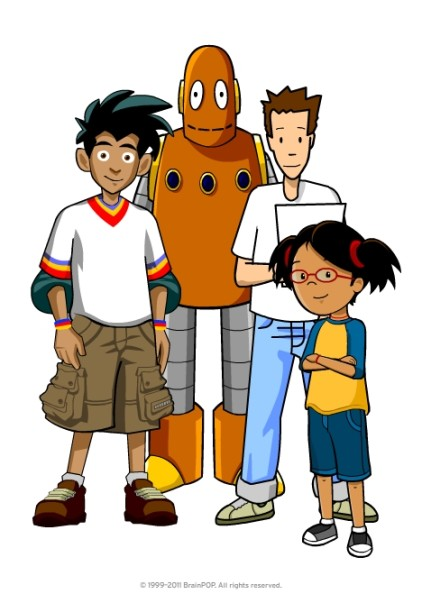
Students enjoy the BrainPOP characters: Tim, Moby, & Annie. The characters and humor in the videos keep students engaged. I find BrainPOP a great way to introduce a topic and build background knowledge, and then I can use many of the activities for students to engage with the content. I love the number of choices for students to show what they know and think critically about the content. I like using Make-a-Map as a collaborative activity for students to think together about most important ideas of a video. The creative tools of Make-a Movie and Creative Coding provide opportunities for collaboration, critical thinking, creativity, and communication. I’m really looking forward to using these new tools more often!


If you have one piece of advice to give to another teacher, what would it be?


My advice to others wanting to get started on Make-a-Movie or Creative Coding is to start with a small group. Give them some time to learn how to use BrainPOP to create and then have them be your “experts”. In the beginning it can be a bit overwhelming for some students to figure out how to create with Creative Coding or Make-a-Movie. Having a few student experts will enable you to focus on helping students with higher level thinking and not get bogged down with teaching the tool. I’m planning to start with my 4th and 5th grade Student Tech Team as experts and they will then train others in their classes to help as well.


Anything else to share?


The BrainPOP Certified Educator program is a great way to get to know some of the less frequently known features of BrainPOP. I’d highly recommend this free training.

Tuesday, June 5, 2018

BrainPOP in BVSD

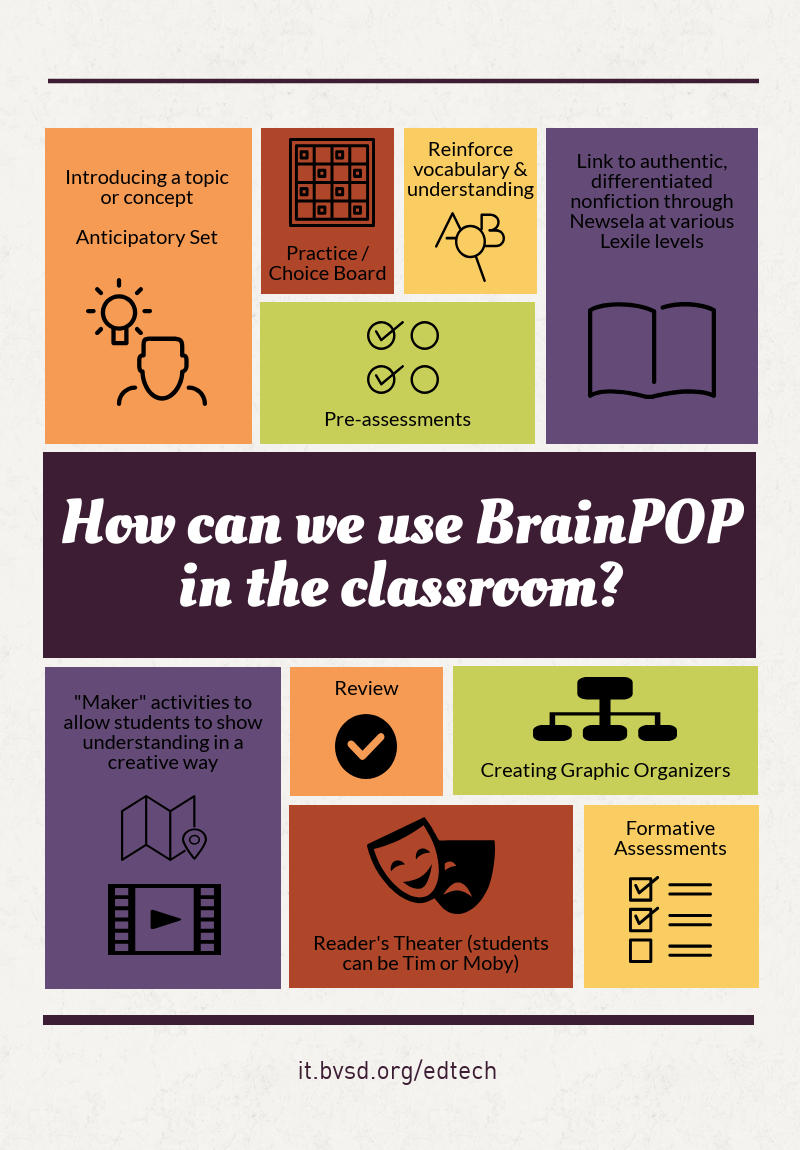
Did you know that BrainPOP is available in BVSD for all K-8 students? If you are not already using this resource in your classroom, check out the BVSD BrainPOP page to get started!


How can you make the most of this awesome resource?

Some of our BVSD teachers share their best tips & tricks below!


Along with these fun projects, teachers shared how they appreciate the way BrainPOP allows students to access content, no matter what their academic level is. The visual animation is attention-grabbing and effective, and Tim & Moby, the funny and friendly guides, are an instant hit with students! One growing resource is their digital citizenship collection, which can be used with any content area. The activities change with each movie, so they never get boring, and many are available in a printed format if needed. Additionally, because the videos are short, they are easy to incorporate throughout a unit of study.


How have you used BrainPOP in your classroom this year?

Monday, May 21, 2018

Innovate@BVSD 2018

Innovate@BVSD 2018 is just around the corner! As you are making your summer plans, be sure to include an excursion to Meadowlark PK-8 on Monday, July 30th and Tuesday, July 31st. With keynotes from thought leaders Sue Meyer & Todd Burleson, deeper learning workshops, and a fantastic schedule of presenters, it is sure to be two days of inspirational and valuable professional learning!


Register & Share!

  • BVSD employees register via MyPassport: Course Code 16666; section #22633. 
    • Attendance is FREE and BVSD attendees can earn .5 salary credit*. 
  • Out of district attendees are welcome! Please fill out the registration form at bit.ly/InnovateBVSD2018.
    • There is a nominal registration fee.

Attendees will:

  • Tour a BVSD Innovative school that models innovative learning community environments;
  • Investigate education software solutions and maker education tools via ½ day hands-on workshops;
  • Explore the Student Innovation Showcase and experience how Project Based Learning and Design Thinking methodologies promote authentic learning & student agency. 
  • Be inspired by your peers as they share how they bring the 4 Cs to life for their students. 


Bond Phase Schools

BVSD schools in Bond Phases 2 & 3, don’t miss this opportunity to experience open and flexible classroom designs, test-drive innovative furniture options, attend sessions offered by architects that specialize in school design, and connect with staff members currently experiencing the instructional shifts brought about by these student-centered spaces.

     *Salary Credit option fee is $15.

Monday, May 14, 2018

Revenge of the Podcast People

Podcast imagePodcasts have been around for years but are quickly making a resurgence in the education world.

At least 112 million Americans have listened to podcasts, a figure up 11 percent from last year [2017], with 67 million listening to podcasts at least monthly. (Forbes)


And for good reason- teachers are able to both create and consume podcasts to get on-demand professional learning in an informal environment and students have an impromptu, candid platform for their voices. Podcasts are a unique form of auditory learning because listeners get to hear the voice of real-life experts and people that influence and inspire them all while feeling like they are a part of the conversation.

Are you ready to hit record and try something new? While we have your ear, listen to our podcast below to learn more about how you might use podcasts professionally and within your classroom.
Not a Rocking Chair Librarian logoNot A Rocking Chair Librarian | Episode 17

As mentioned in our podcast, use the resources below to help you get started with podcasting in your classroom.


"Why Podcasts Are Popular (And 4 Content Lessons To Learn …) - Forbes." 11 Jul. 2017, https://www.forbes.com/sites/jaysondemers/2017/07/11/why-podcasts-are-popular-and-4-content-lessons-to-learn-from-them/. Accessed 8 May. 2018

Monday, August 7, 2017

Welcome Back, #BVSD!

Welcome Back, #BVSD!


Welcome back! The BVSD Ed Tech Team is preparing for another awesome year full of new professional development opportunities, expanded programs, and more! For a taste of what’s to come and how to stay in touch, please keep reading. For easy access to all of Ed Tech’s resources, visit our homepage at it.bvsd.org/edtech.


Ed Tech Professional Pathways

This year’s district professional development has changed to personalized learning. Ed Tech will offer three different courses for BVSD educators as part of the Professional Pathways program.
  • Digital Storytelling (MyPassport #16773) course participants will learn how to use different digital tools to increase student voice and students publishing for audiences outside their classroom.
  • Online Collaboration and Connected Learning (OCCL) (MyPassport #16774) course will open up connections and the four walls of your classroom. Learn how to use digital tools to connect students, experts and teachers in collaborative work.
  • Teacher Librarianship in the Future Ready Library (MyPassport #16775) highlighting connections & collaborations for being #FutureReady librarianship.


For information more Ed Tech Professional Development opportunities, visit our PD home page.

PD Special Events

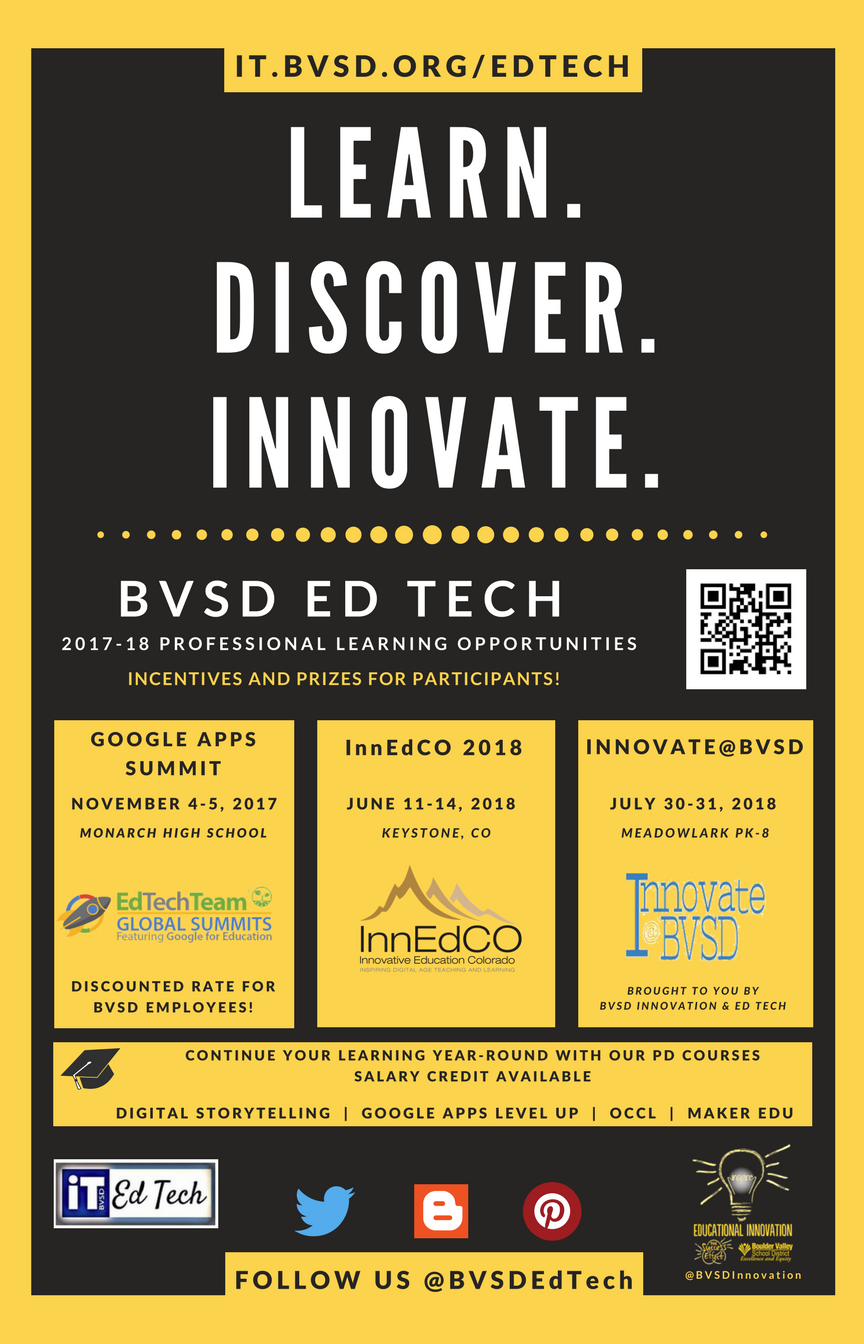
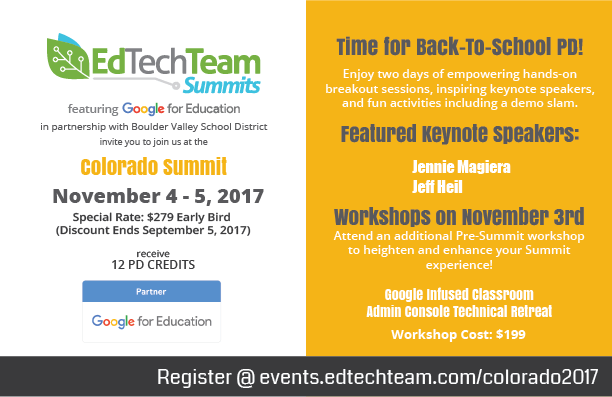
colorado_2017_Web.pngThe 2017-18 school year will offer some large scale special events for those looking to broaden their Ed Tech horizons. Look for our poster throughout the district, and be sure to visit the BVSD Ed Tech home page for further details.


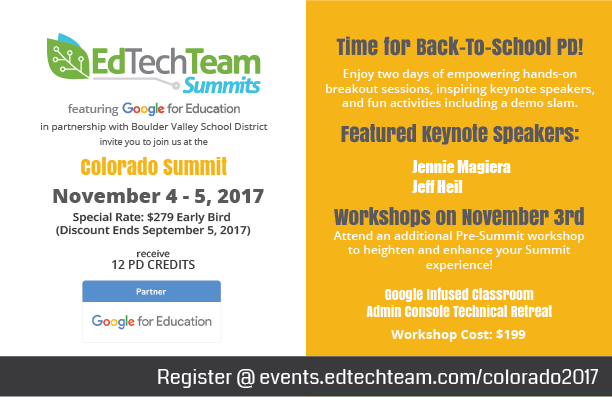
Google Apps for Education Colorado Summit featuring Ed Tech Team
Save the date for November 4-5 at Monarch High School for two jam-packed days designed to help you collaborate, connect, create using digital tools. Outstanding keynote speakers, peer created sessions, hands on workshops, and more await! BVSD employees: contact Elene Medicraft for a discount code! Click here for more details.


1:Web Expansion

1:Web is expanding to seven new schools! After a successful pilot program at Centaurus and Broomfield High Schools we will roll out the program to Angevine Middle, Arapahoe Ridge High, Aspen Creek K-8, Boulder Universal, Broomfield Heights Middle, Nederland Middle and High, and New Vista High. 1:Web schools will distribute chromebooks to students and teachers to have ubiquitous access to resources. Ed Tech, in collaboration with ISE (Instructional Services and Equity) and school 1:Web teams, will engage in PD throughout the year to support schools in this significant and exciting instructional shift. For more details, visit our 1:Web homepage.

Social Media

The Ed Tech Team wants to make it easy for you to stay in touch! We consistently update the following resources with important information and useful tips.


  • Join us on Twitter! Follow @BVSDEdTech for updates and interesting articles, people, and resources.


  • Follow BVSD Ed Tech on our Pinterest page for curated content related to makerspaces, libraries, literacy, leadership etc.


What are you looking forward to this year?

Are you planning on implementing new ed tech tools this year? Is your school participating in 1:Web? Share your big ed tech plans for the 2017-18 school year in the comments below!

Monday, July 31, 2017

Top ISTE 2017 Takeaways


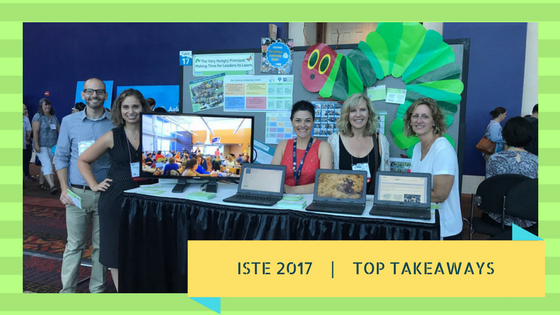
Phew! ISTE 2017 has come and gone. We are reflecting on and digesting the amazing ideas and information we gathered throughout the four-day conference. Check out our top takeaways from the world’s largest Ed Tech gathering!


Think Outside the Box with Google Tools
BVSD students and employees have access to a powerful suite of Google tools. How these tools can be implemented in instruction are limited only by your creativity. Challenge yourself and your students to think of new ways of using existing tools!  For example:
  • Consider using Google Slides to design posters (hint: change document size in the File menu)
  • Collect GPS data in Google Sheets and create custom Google Maps to plot your findings, then publish in Sites (Example: Maple Project)
  • Use Google Drawings and Slides to prototype app designs (templates here & here).


Technology can Help us Shatter the Single Story
In her keynote speech Jennie Magiera, Chief Innovation Officer in Des Plaines, IL, encouraged us to give students more of a voice. She gave examples from her own childhood and others to illustrate the danger in seeing students as a “single story”. According to Magiera, “it’s a teacher’s job to amplify the untold story of our students’ potential.” Online video can be a powerful platform for giving students a platform and an audience for them to share their full stories. Don’t miss your opportunity to learn from Magiera when she keynotes at the Colorado Summit on November 4.


Early Coding: One Way to Close the Innovation and Tech Gender Gap
Reshma Saujani, the founder of GirlsWhoCode.org, shared research and findings from her own efforts to demonstrate the gender inequality in technology. There is a tremendous opportunity for growth in this area, and Saujani is trying to accelerate this by supporting the founding of thousands of “Girls Who Code” clubs across the US. If you are interested in starting a Girls Who Code club at your school, you can start the process by visiting this link.


Formative Assessment Has Never Been So Fun!
Checking for student understanding during a lesson or unit has never been so easy or fun! Monica Burns of classtechtips.com encouraged us to make sure our formative assessments are meaningful, sustainable, and scalable. Here are some of our favorite formative assessment tools:
a) Spark Post is a simple graphic design tool that students can use to creatively demonstrate understanding
b) Recap is a service that encourages student reflection through the use of video
c) Kahoot is developing a new mobile app that allows students to also see the question on their screen, thus enabling “homework challenges” that can be assigned
d) Padlet is like a virtual wall of sticky-notes to which students can post text, images, and more to show understanding.


New ISTE Standards Create Empowered Learners
ISTE’s standards for students, educators, and administrators have evolved significantly over the years. Think not of things to do, but ways to be. At this year’s conference, the latest iteration of these standards was unveiled. Check out the detailed standards here:


Augmented and Virtual Reality are Everywhere!

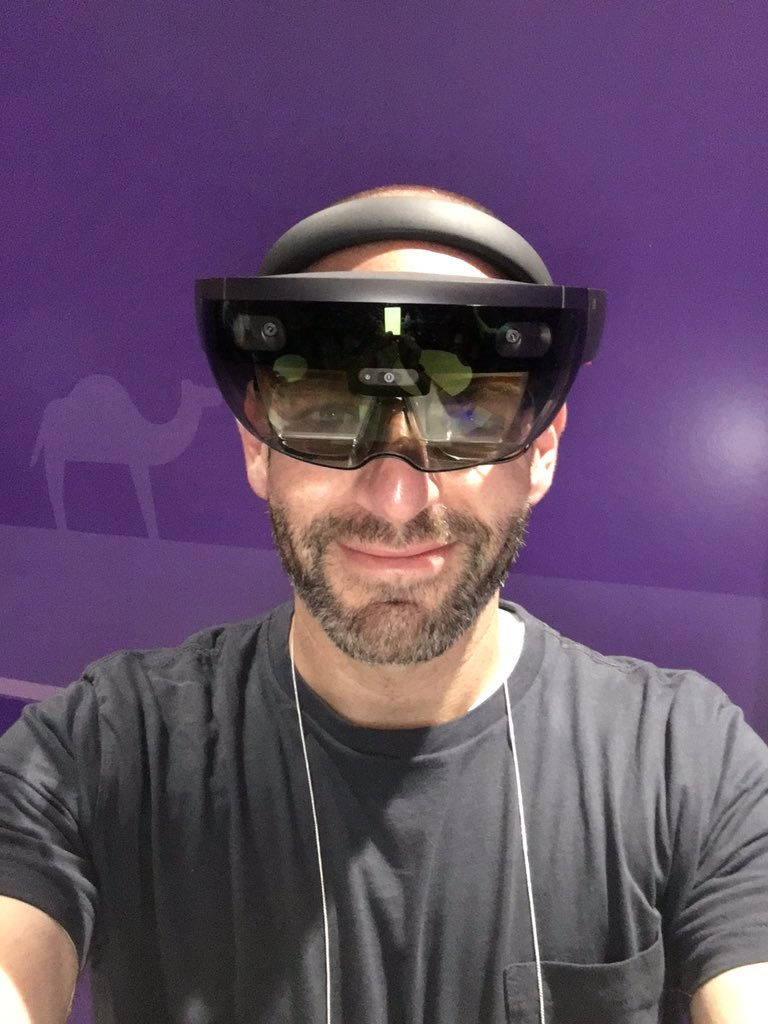
As soon as we entered the conference hall lobby we were greeted by a big sign advertising the ISTE 2017 Augmented Reality game, encouraging attendees to search for and scan various hidden clues throughout the venue. The presence of Augmented Reality (AR) and Virtual Reality (VR) was hard to miss this year. Microsoft demonstrated its Hololens headset by having participants analyze historic artifacts. Google demoed the latest version of its Expeditions software which uses AR to let you look inside Rome’s Colosseum, for example. Multiple sessions and playgrounds were available to conference attendees looking to try out the latest experiences. You will be seeing a lot more of this in the next couple of years, and there will surely be many interesting educational applications.

Let Students Take the Lead
On the heels of the latest ISTE standards with a focus on empowered learning, many schools are already taking steps to let students take the lead with technology. We met students from a school in Texas who had organized a half-day tech conference for students, by students. Sessions ranging from document design to virtual reality were offered to the student body, with additional networking opportunities built into the schedule. How are we providing opportunities like this for our students?


What Were Your Takeaways?
Comment below with what inspired, challenged, or amazed you about #ISTE17 and mark your calendars for next year’s conference in Chicago June 24-27, 2018.


Monday, July 17, 2017

InnEdCO 2017: BVSD Experiences Innovative Education Colorado

pablo.png

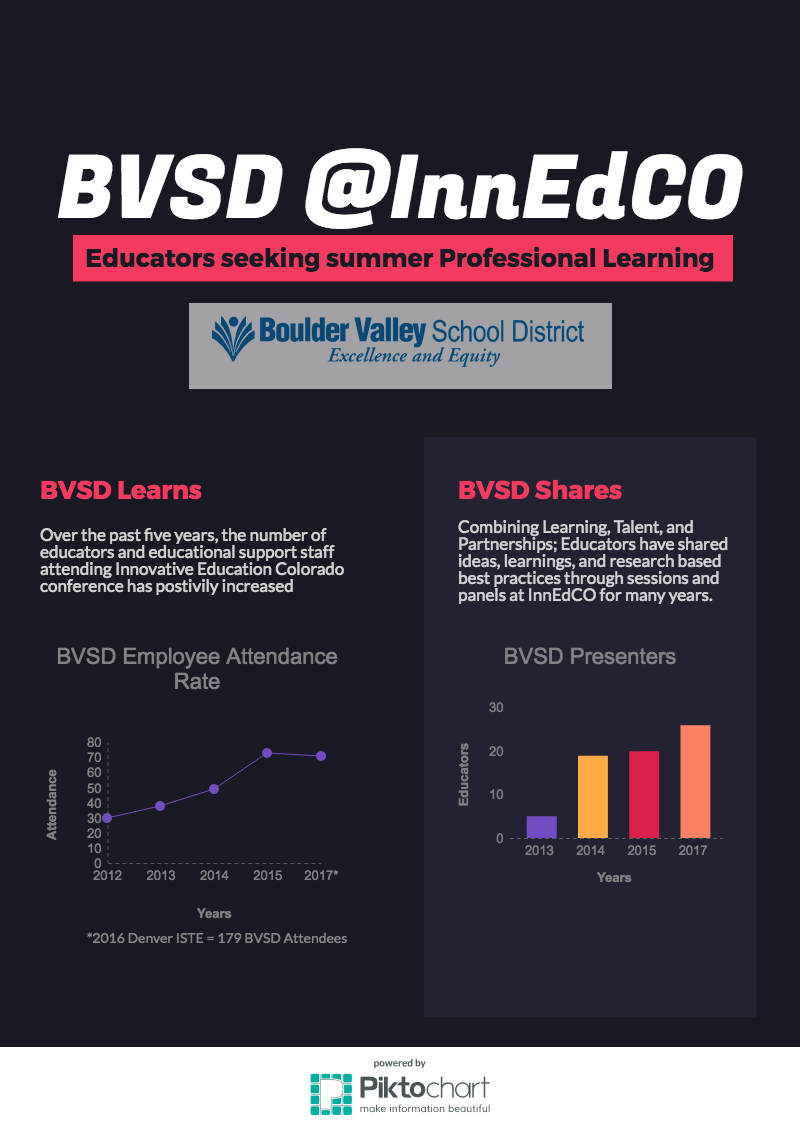
“Lifelong learners” is a term often heard in educational circles. Lifelong learners that have a growth mindset are motivated to set learning goals, focus on their efforts, reflect, and achieve new understandings. Lifelong learners with a growth mindset that seek creative and innovative ideas in technology (and live near the Centennial State) go to Innovative Education Colorado (InnEdCO)! And Boulder Valley School District is teeming with lifelong learners, as evidenced last month at the InnEdCO conference. Over 70 BVSD employees attended the three-day conference in Keystone. This number is significant for multiple reasons, such as the incredible growth of attendees over the years and the impact it has on our schools when attendees return and share with their colleagues and students.

BVSD Ed Tech #InnEdCO 2017.png

In addition to the incredible amount of attendees and presenters that were at InnEdCO, the quality of sessions and learning was on par! And these ideas/tools are a hole-in-one:
  • Photos.google.com- You can create shared albums that ANYONE can add to by link! Imagine having students go on a field trip and adding their visual experience. Every contributor’s photo is credited to them, so tracking participation is easy. Check out the BVSD @ #InnEdCO17 Google Photo Shared Album.
  • Keynote speaker Rusul Alrubail reminded us to teach with empathy and kindness because micro-interactions in our day often result in high impact for those we encounter, including our students. “Our role is no longer outcome-centered, classroom-centered or teacher-centered. It is student-centered.”
  • Keynote Speaker Ken Shelton encouraged educators to empower students’ voices through storytelling. 21st century students are communicating their words and thoughts through online publications of digital and visual means. How are students learning to immerse others in their stories to form connections and relationships? A pro tip: have students storyboard their digital narrative, then swap storyboards with a classmate and create each other’s digital story! Check out his classroom ready comparison of visual language to the published word.

This is just a brief peek looking back at an amazing week of learning and collaborating with like-minded educators and educational supporters from across our region and state. As we reflect on a June filled with innovation and inspiration, we want to know what you are learning this summer! Add in your comments below and/or tweet it out to us @bvsdedtech. Make sure to include #BVSDLearns!  

Save the Date June 11-14, 2018 for next year’s InnEdCO!