Pages

Showing posts with label Digital Tools. Show all posts

Tuesday, September 11, 2018

BrainPOP in BVSD: Molly Kirk

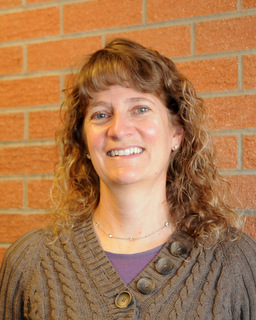
Our series of spotlighting teachers who use BrainPOP concludes with Molly Kirk, a 5th grade teacher at Foothill Elementary. To get started, visit the BrainPOP in BVSD webpage, and for more ideas about how to use it in the classroom, check out Part 1 & Part 2 of this blog series!


Molly Kirk, 5th Grade Teacher | Foothill Elementary
21st Century Cohort 3.0
Class Website
Molly is currently in her 9th year of teaching 5th grade at Foothill Elementary. She has worked in BVSD as an elementary teacher, a secondary Language Arts teacher and in the GT and Literacy programs. Molly has a Masters in Education from University of Colorado and is endorsed K-12. She is a member of the BVSD 21st Century Cohort 3.0 and thinks the IT department is awesome!


How do you use BrainPOP in your classroom?
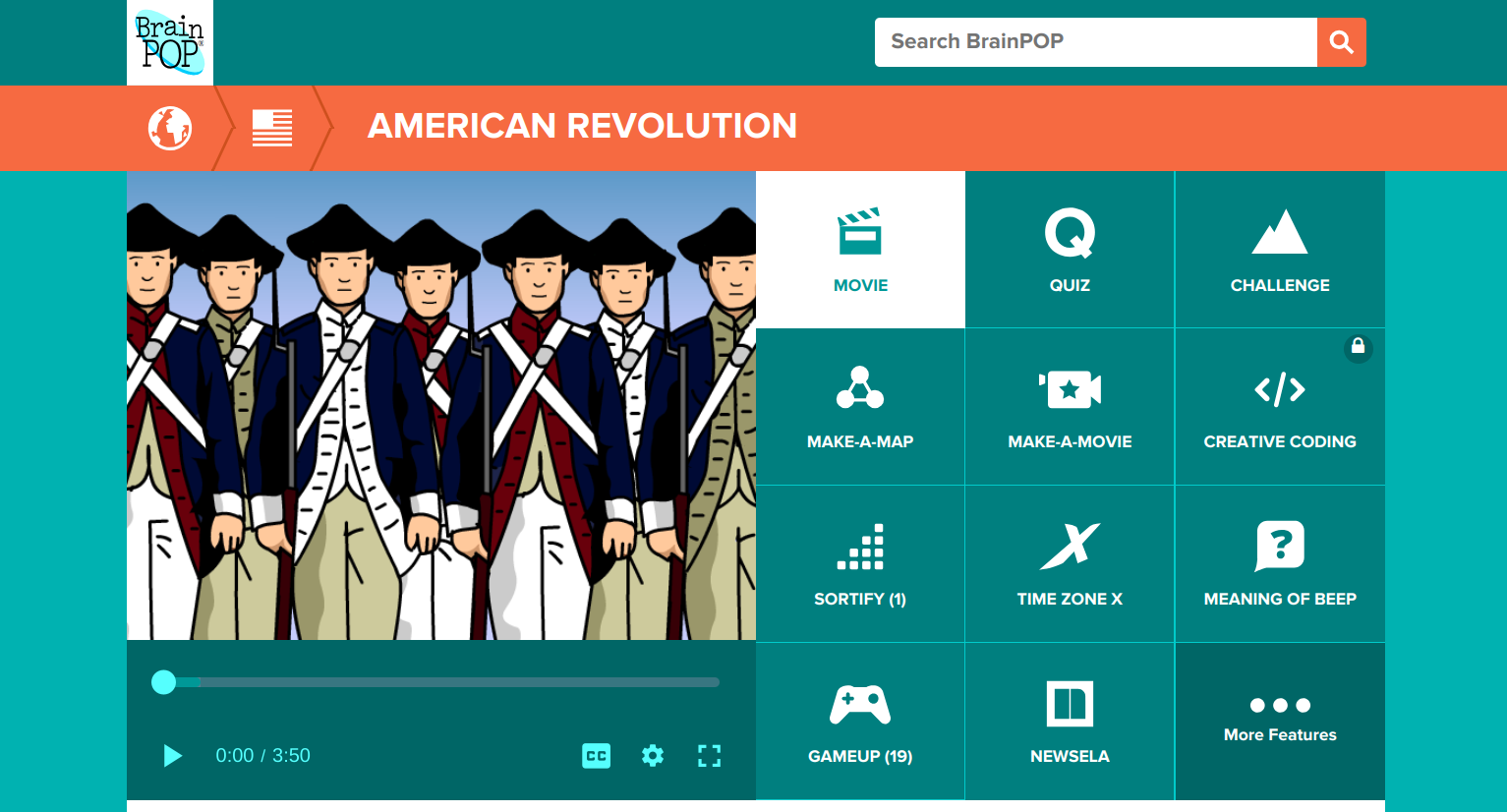

One of the things I love about BrainPOP is the versatility. I am able to find a BrainPOP video for almost any topic I teach. Along with the variety of topics, there are also so many different ways to use BrainPOP beyond the videos with Moby.

Recently, we watched two videos about the American Revolution as an introduction to the important events leading up to the Revolution. The kids did a scavenger hunt of sorts using the American Revolution Timeline in GameUp. They had a list of six events and needed to put them in chronological order using the Timeline as a resource. Then they could choose three battles of the Revolutionary War to read more about. The additional links in the game were informative and we found the students engaged and seeking additional information on topics that they found interesting.

What do you see as the benefits of using BrainPOP?

BrainPOP allows me to apply the 4 Cs easily. My students can be creative as they design their own Make-A-Map which also taps into their critical thinking skills. I love seeing their thinking as they share Snapthoughts with me which also allows them to communicate their thinking. We frequently use BrainPOP with partners or in small groups to allow students to collaborate. I can differentiate by using the FYI and Activities and I love having access to BrainPOP EspaƱol for my Spanish speakers. They can watch the videos in both English and Spanish to reinforce content specific language. One of my favorite things is that from time to time I will log on and see that my students are using BrainPOP at home to learn about topics they are individually interested in.
Editor’s note: For more information on how to use the educator dashboard, go to the BrainPOP Help Center.

If you had one piece of advice to give about BrainPOP, what would it be?


Go beyond the movies and the quizzes. BrainPOP has so much more to offer that allows you to tap into higher-level thinking skills. So much technology just entertains; the full spectrum of BrainPOP allows students to truly engage in the learning process.

Monday, July 16, 2018

BrainPOP in BVSD: Michelle Eckstein

Our series of spotlighting teachers who use BrainPOP continues with Michelle Eckstein, the Elementary Technology Teacher at Peak to Peak Charter School. To get started, visit the BrainPOP in BVSD webpage, and for more ideas about how to use it in the classroom, check out Part 1 of this blog series!


Michelle Eckstein, Elementary Technology Teacher | Peak to Peak Charter
21st Century Cohort 4.0
@mdeckstein | Website

Michelle has been teaching in elementary schools for 10 years, and is currently the Elementary Technology Teacher at Peak to Peak Charter School. Prior to joining the staff at Peak to Peak, she was the TAG Educational Advisor at High Peaks Elementary and Lafayette Elementary Schools. She has a Masters in Gifted Education from the University of Connecticut and endorsements in elementary education, gifted education, and instructional technology. She loves seeing students authentically engaged when they are creating with technology.


How do you use BrainPOP in your classroom?


I use many of the digital citizenship videos and activities in my classroom as well as using the BrainPOP videos to introduce coding to students. Students and I really like the Meaning of Beep. In this game students compete against the computer or a classmate as they improve their academic vocabulary on the topic being studied.

What is one of your favorite things that you have done with BrainPOP?


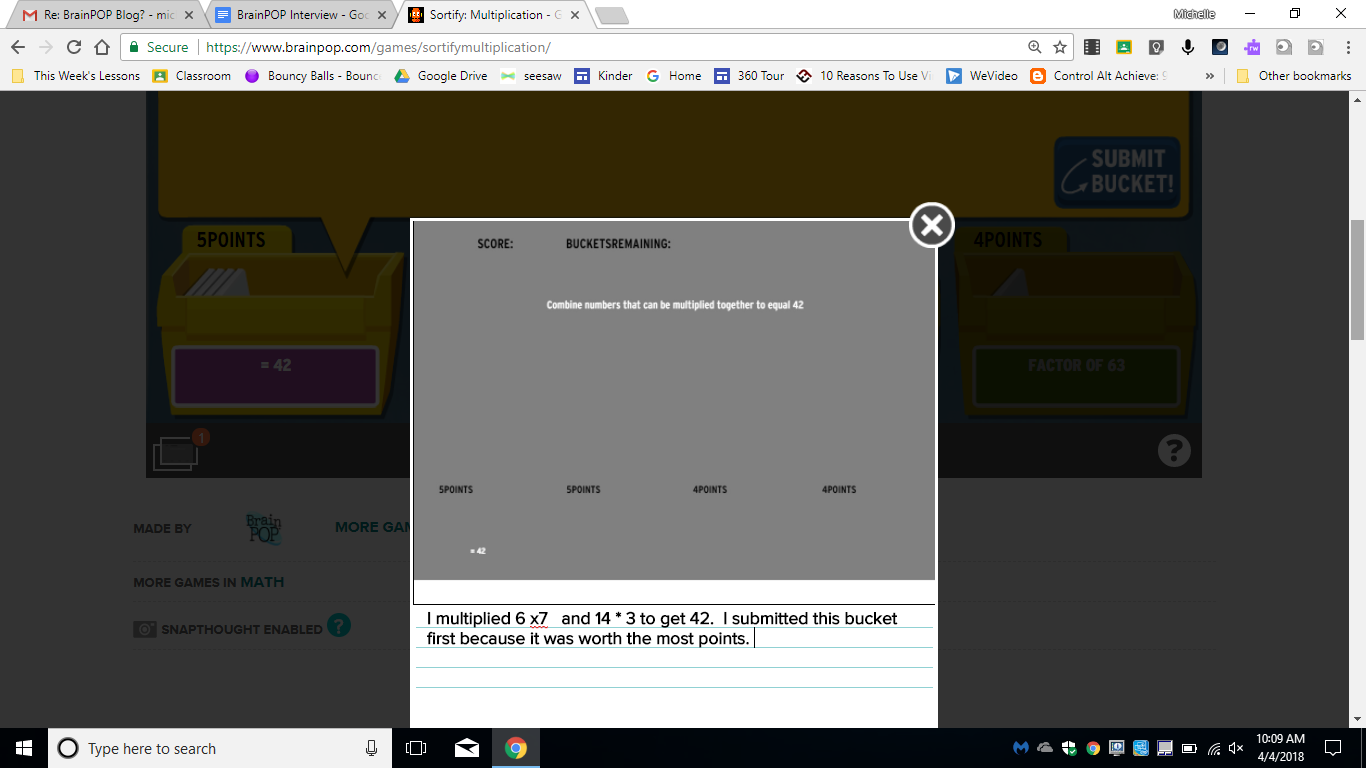
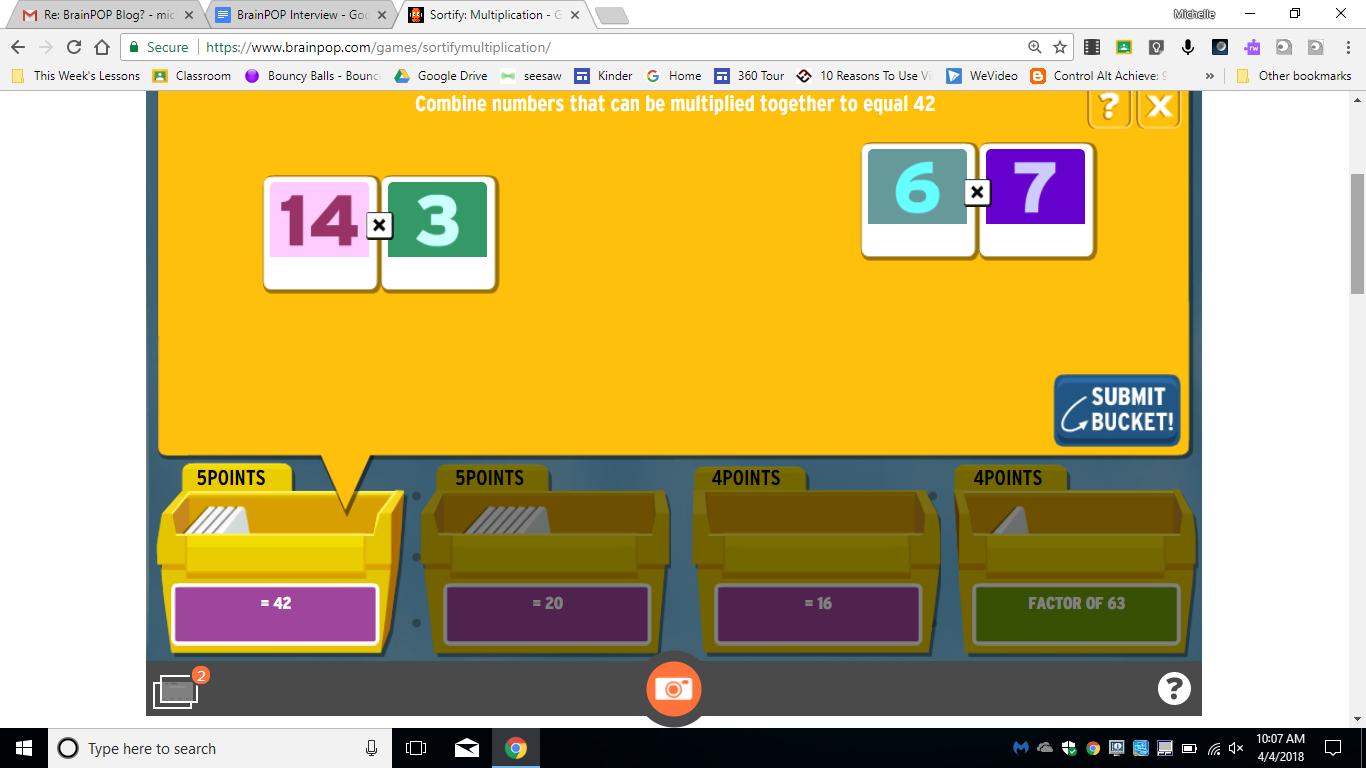
One of my favorite BrainPOP features is the SnapThought tool. Using this tool students can capture their thinking while playing a game. It’s a great tool to use as students play Sortify. SnapThought allows students to grab a screenshot at a moment during game play. They then reflect on their thinking. In the example below, a student is playing Sortify Multiplication and uses the SnapThought tool to take a screenshot during game play. They then explain their thinking and submit their thinking to the teacher. Students love game play, and the SnapThought tool increases the cognitive demand by asking students to explain their thinking.


How is BrainPOP helping your students?


Students enjoy the BrainPOP characters: Tim, Moby, & Annie. The characters and humor in the videos keep students engaged. I find BrainPOP a great way to introduce a topic and build background knowledge, and then I can use many of the activities for students to engage with the content. I love the number of choices for students to show what they know and think critically about the content. I like using Make-a-Map as a collaborative activity for students to think together about most important ideas of a video. The creative tools of Make-a Movie and Creative Coding provide opportunities for collaboration, critical thinking, creativity, and communication. I’m really looking forward to using these new tools more often!


If you have one piece of advice to give to another teacher, what would it be?


My advice to others wanting to get started on Make-a-Movie or Creative Coding is to start with a small group. Give them some time to learn how to use BrainPOP to create and then have them be your “experts”. In the beginning it can be a bit overwhelming for some students to figure out how to create with Creative Coding or Make-a-Movie. Having a few student experts will enable you to focus on helping students with higher level thinking and not get bogged down with teaching the tool. I’m planning to start with my 4th and 5th grade Student Tech Team as experts and they will then train others in their classes to help as well.


Anything else to share?


The BrainPOP Certified Educator program is a great way to get to know some of the less frequently known features of BrainPOP. I’d highly recommend this free training.

Tuesday, June 5, 2018

BrainPOP in BVSD

Did you know that BrainPOP is available in BVSD for all K-8 students? If you are not already using this resource in your classroom, check out the BVSD BrainPOP page to get started!


How can you make the most of this awesome resource?

Some of our BVSD teachers share their best tips & tricks below!


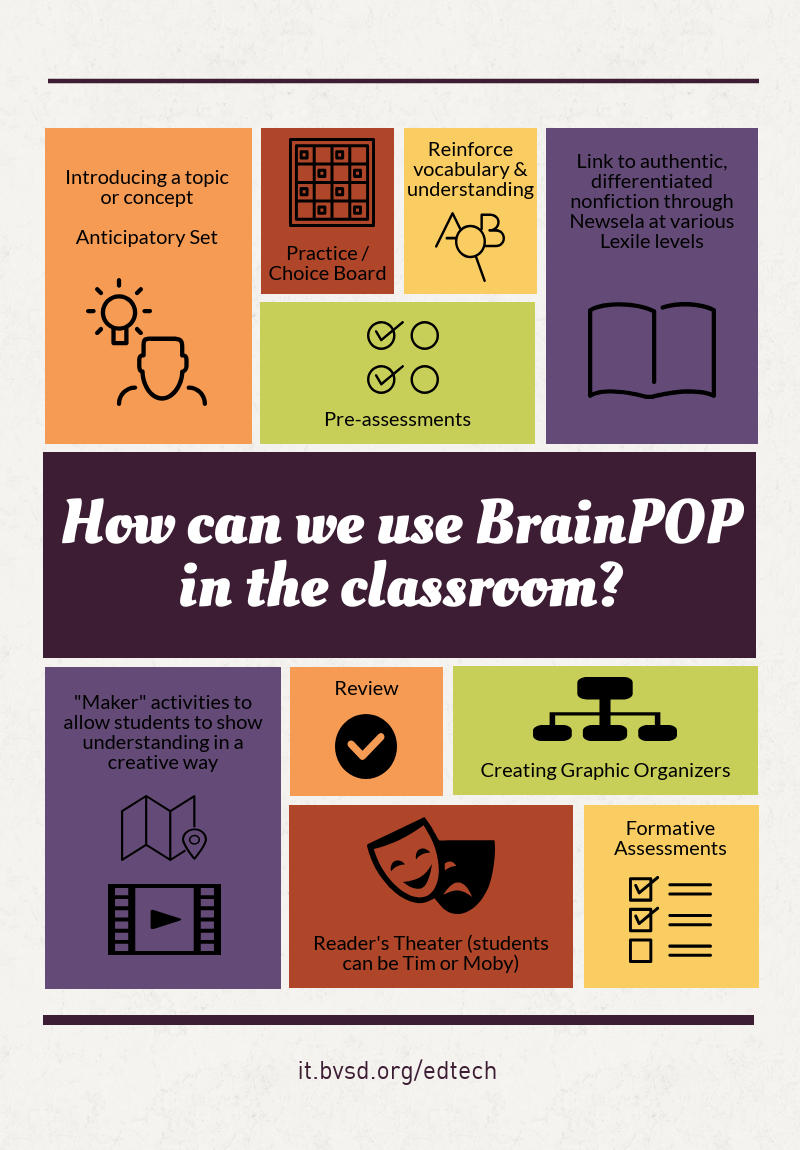
Along with these fun projects, teachers shared how they appreciate the way BrainPOP allows students to access content, no matter what their academic level is. The visual animation is attention-grabbing and effective, and Tim & Moby, the funny and friendly guides, are an instant hit with students! One growing resource is their digital citizenship collection, which can be used with any content area. The activities change with each movie, so they never get boring, and many are available in a printed format if needed. Additionally, because the videos are short, they are easy to incorporate throughout a unit of study.


How have you used BrainPOP in your classroom this year?

Monday, April 16, 2018

Guest Blogger - Erin Mayer | The Road Less Traveled - Going Gradeless


Erin Mayer, Science Teacher | Casey MS
21st Century Cohort 4.0
@Erinsmayer | www.reinventingclass.com


The Road Less Traveled - Going Gradeless

After a successful trial run last spring eliminating grades in lieu of feedback and reflection with my eighth grade science students (The Road to Gradeless), I decided to completely eliminate grades for all 155 of my sixth and seventh grade students this year. In September, after I felt that my students and I had begun to create and develop a collaborative, safe, learning community, I explained to my students that because our primary focus throughout the year would be learning and understanding, they would receive learning feedback from me, not grades. With the full support of my administrators, I also shared my vision with my student’s families (Learning and Grades Parent Letter).

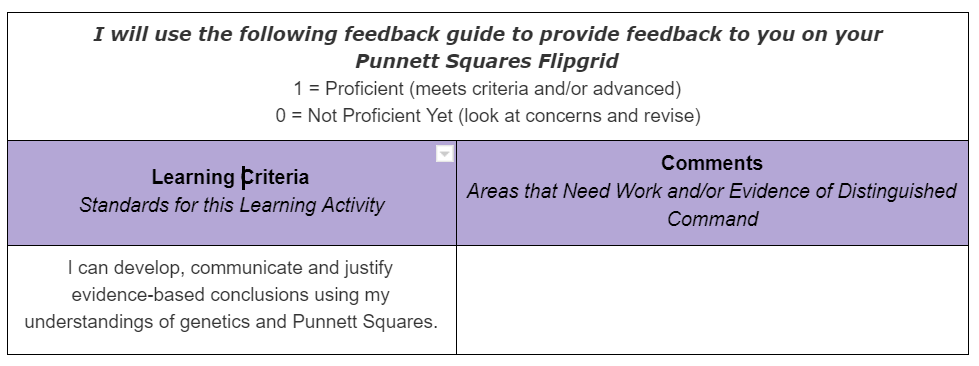
To provide and document feedback on student learning and understandings, I use Schoology in conjunction with single point rubrics focused on our learning criteria.
If a student learner has met the learning criteria, they receive a “Proficient”. If they have not met the criteria, they receive a “Not Proficient Yet”. I include concerns, questions and evidence of advanced understandings in the comment column of the Schoology “gradebook”. I emphasize the “yet” in not proficient yet, consistently acknowledging and reminding my student learners that the learning process is messy and that it is often necessary to traverse multiple learning paths and revision processes to develop, refine and communicate understandings and ideas.

Our school is on a quarter system and I still need to submit traditional letter grades each quarter. At the conclusion of each quarter, my seventh graders reflect on and evaluate their learning using a Personal Learning Reflection and Evaluation template that I share with them. At the conclusion of this document, each student determines what their quarter grade will be. Students mini-conference with me after completing their reflection. These conferences are critical and allow my students and I to dig deeper into their personal reflection and evaluation of their learning. Our class is self-paced which allows us to mini-conference during class time because all students reach the unit evaluation and reflection phase at different points.

I discovered that my sixth grade students need more scaffolding to reflect and evaluate on their learning. Their most recent reflection, after a quarter-long problem based unit focused on bioplastics, provided this additional structure and focus: Polymers for the Planet Individual Learning Reflection.

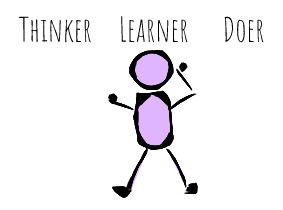
Overall, the feedback I have received about our gradeless learning environment has been positive. Parents and family members appreciate our emphasis on learning and communicating understandings. At this point in our journey, most of my students have developed a deeper understanding of what gradeless means. This has been a transition for many students, particularly my seventh graders. An emphasis on learning and understanding over grades requires students to own their learning. Their experiences in our science classroom are helping them understand that learning is messy. They are realizing that it is okay, and often beneficial, to slow down and focus more deeply. They are more aware that the ability to communicate their understandings, in ways that work best for them, is critical and can be very rewarding. As my students’ learning facilitator, our experience has convinced me that a gradeless environment is best for kids. It provides the opportunity for all of my students, many who are often labeled as “underperforming”, to find learning success in our science classroom and ultimately allow to develop their capacities as thinkers, learners and doers.


Wednesday, March 22, 2017

IT Open House


pablo (1).png

We had over 45 BVSD employees join us at IT Open House on February 28th, 2017. This event included opportunities to meet and interact with the many teams in IT that serve the students and staff of BVSD.
Participants received a gameboard to help them navigate through the open house, and upon completion, be eligible for some pretty great prizes! You can watch the raffle winners announcement!


Through this event, participants experienced
  • a meet & greet with the Service Desk & Customer Support Technician teams
  • a presentation and learning experience with VizLab and the new data warehouse
  • hands-on exploration of tools available through school technology tools program and upcoming maker kits
  • sharing feedback with the student information systems team (Infinite Campus, custom apps, etc.)
  • learning about their digital footprint as an educator and newly updated school websites with the web team
  • and more!

You can check out some pictures and additional reactions to this event below! IT is hoping to host another Open House in the Winter of 2018.


Wednesday, January 4, 2017

Digital Storytelling Course @BVSD!

Ed Tech is excited to offer Digital Storytelling, a new blended learning professional development opportunity!


digital-storytelling-is-NOT.png

Why should I sign up for this course?

If you are looking to increase student engagement, revitalize an upcoming unit, explore new digital tools and learn in a collaborative community, then this course is for you! This course is appropriate for all grades and subject areas.

Experiences will include
  • Creating an original Digital Story
  • Participating in a Digital Storytelling Technology Bootcamp
  • Exploring Publishing Practices
  • Planning for Digital Storytelling in your Own Classroom
And more!

Join us beginning Tuesday, January 17th! See registration information here--looking forward to seeing you in January!

Wednesday, November 4, 2015

Rocky Mountain Summit featuring Google Apps for Education: Learning Together!

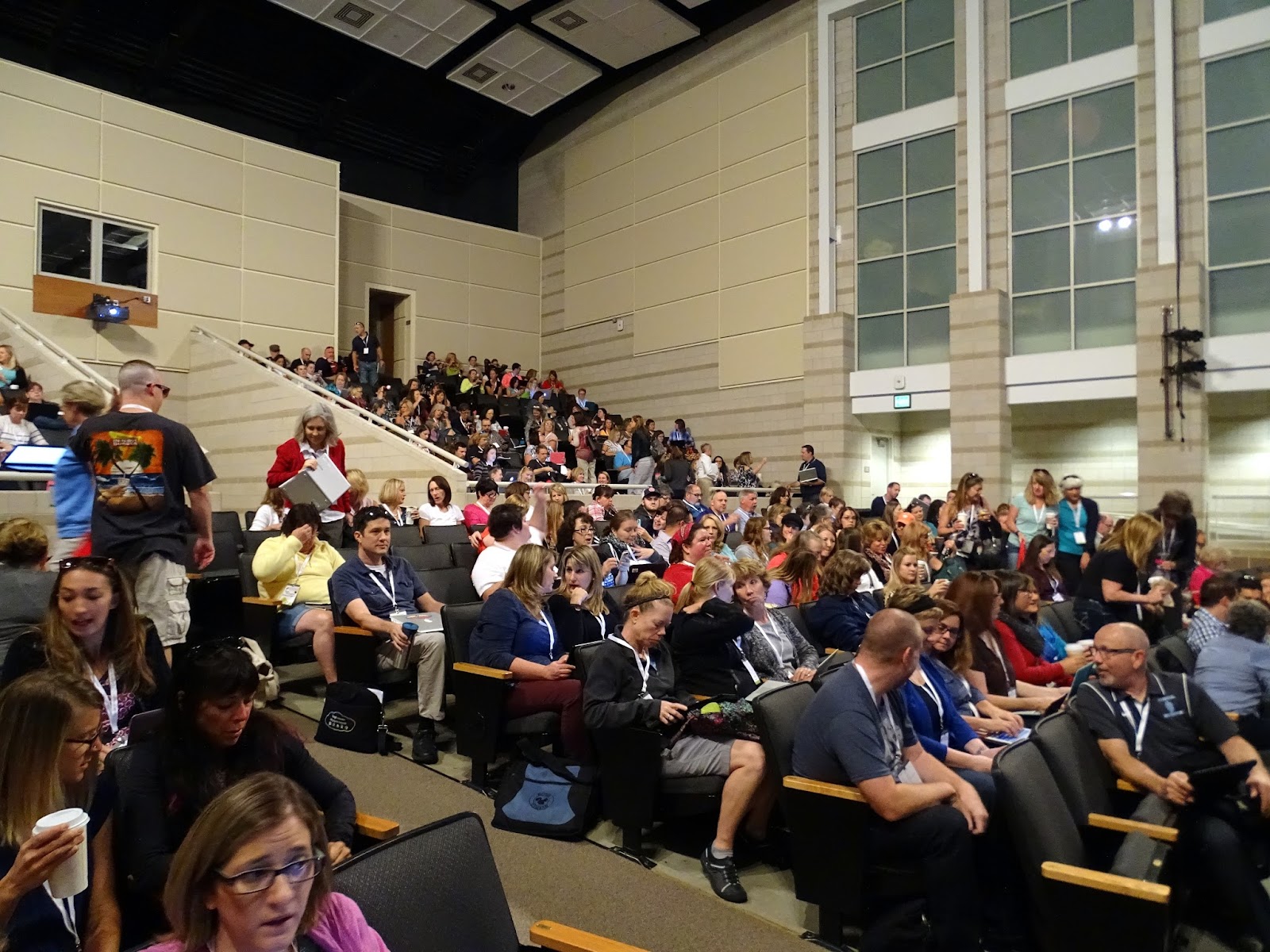
DSC00307.JPGOnly a few short weeks ago, the Google Apps for Education Colorado Summit and over 500 educators came to Monarch High School. It was an incredible weekend of learning, fun and leading by the EdTechTeam, educators from around the state and beyond! For our BVSD educators, this summit provided direct support for developing talent, a key priority of the BVSD Success Effect.


The weekend included keynote speakers James Sanders, Mark Garrison & Kasey Bell as well as a series of workshop sessions geared towards meaningful instructional practice when using Google and other internet tools with students, by students and for students.


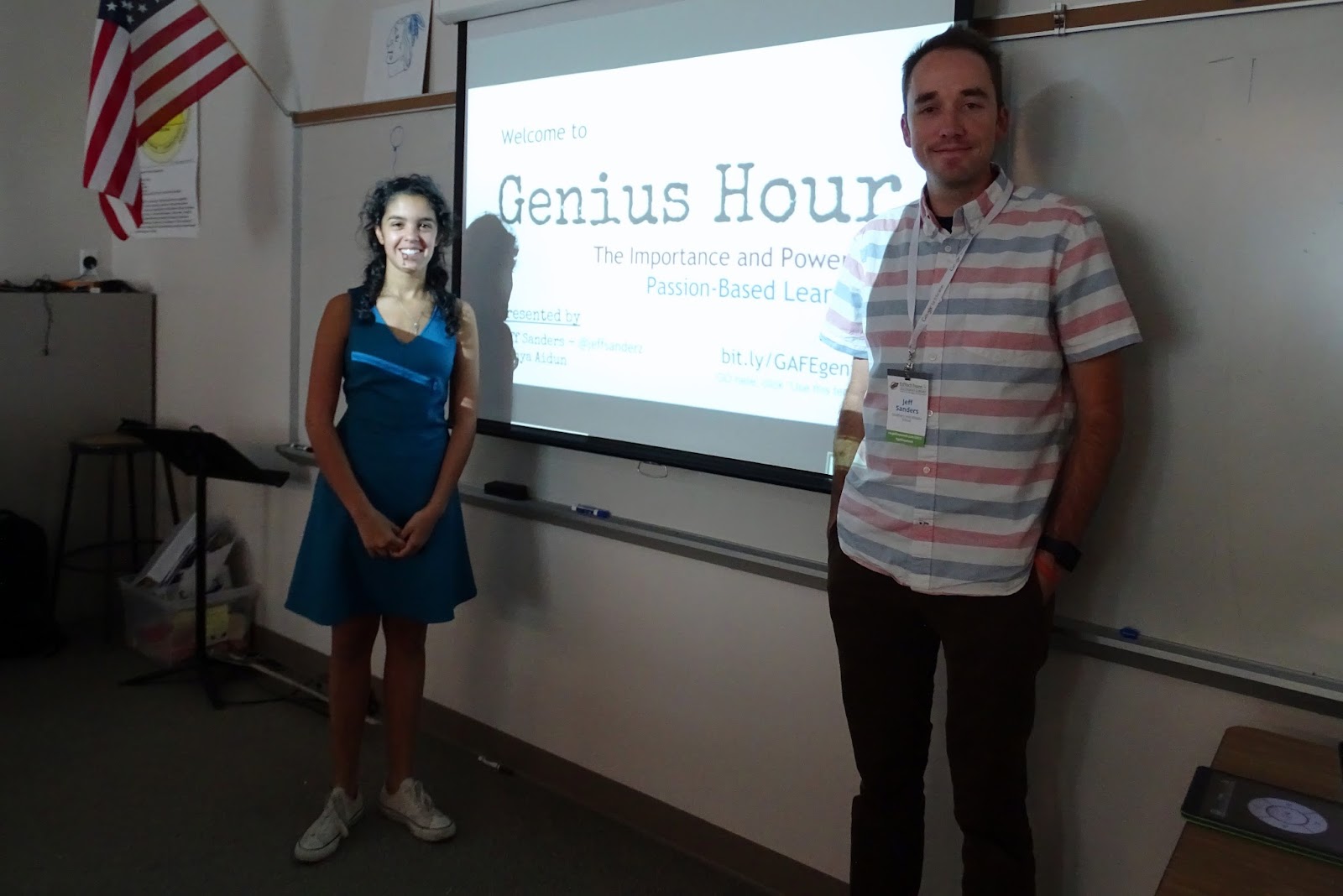
Many BVSD educators presented, including Jeff Sanders, who shared how his students have a genius hour, or 20% time, during class each week to work on passion projects. At the end of the year, students created presentations that shared how these projects impacted their learning.  Some of the projects included
  • DSC00347.JPGCreating a 3X3 Basketball Tournament to raise money for Boulder Homeless Youth
  • Self-Publishing a Novel, now sold on Amazon!
  • Becoming a Certified Yoga Instructor and conducted Yoga Classes for students
  • Creating a Blog reviewing movies, books and more that the entire school community could use to get ideas for reading


His session, among the many others, helped educators think differently about what students could do in their classes to increase meaningful learning!


Educators left the conference feeling empowered by their learning and looking forward to going back to their classrooms and buildings to utilize their new expertise to empower and engage students at a new level. Even more exciting, many attendees were first-timers!


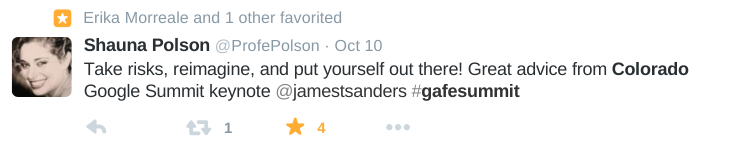
During the conference, participants shared their enthusiasm and learning through Twitter, utilizing the hashtag #gafesummit to connect.

Screenshot 2015-10-27 at 9.52.55 AM.pngUsing a script called TwitterBot, one attendee collected all tweets from the summit as a way to capture the experience of the learning through this archive of tweets!


Screenshot 2015-10-27 at 9.53.13 AM.png
By connecting online, the learning continues well beyond the conference. Check out how first-time tweeter, BVSD teacher librarian JoLynn Scott, connected with fellow BVSD librarians at this summit! They later decided to make plans to share their learning to their schools and staffs.

Screenshot 2015-10-27 at 1.12.39 PM.png

The learning from this summit is captured not only through twitter, but in all of the presentation materials available online, too! Check these out and join us for more professional development throughout the year on the BVSD Ed Tech website.


Screenshot 2015-10-29 at 10.37.02 AM.png


Friday, October 2, 2015

Join Us at the Google Summit!


Are you ready to get your Google on? 
DSC_6089.JPG

For the third year in a row, BVSD is hosting the Colorado Summit Featuring Google for Education. This year’s summit will be October 10 & 11 at Monarch High School.

This high intensity, two-day event focuses on deploying, integrating, and using Google Apps for Education (and other Google Tools) to promote student learning in K-12 and higher education.
The program features Google Certified Teachers, Google Apps for Education Certified Trainers, practicing administrators, solution providers, Google engineers, and representatives from the Google education teams.

Last year more than 300 participants attended sessions on digital tools and strategies for increasing student engagement. Here is some of the feedback we received:


“I have been to this conference for three years and it has changed the way I teach!”
“The 2014 (conference) was a wonderful experience and greatly enhanced my use of technology in my classroom.”
“This was the best professional development I've had since becoming a teacher. I walked away from here with numerous new ways to engage students and enhance my instruction. I look forward to attending again.”

This year promises to be even more exciting, with over 80 sessions to choose from, many led by BVSD educators. There’s something for everyone, from the beginner to the geeky and everyone in between. You’ll learn something you can take back to your classroom right away.

We hope you can join us for this weekend of fun and learning with colleagues from BVSD and the entire state. Registration is still open! If you are a BVSD employee, please contact Elene Medicraft (elene.medicraft@bvsd.org) for a special BVSD only registration code.

We’ll see you there!
DSC_6086.JPG

Thursday, September 24, 2015

Digital Workflow

Are your students engaged in creative, collaborative, engaging online work? If you answered yes, then digital workflow has crossed your mind. Digital workflow is a term that encompasses the tools and processes we use to keep our classrooms running smoothly.

Sra Wallace 2

When implementing technology tools, teachers should choose strategies and apps to support learning goals and personalized instruction while establishing a digital workflow that creates classrooms where students have increased access, communication, and the ability to submit work in an efficient manner. When determining what your digital classroom workflow should look like, consider the following:


How will students:
How will teachers:
Access assignments and digital content provided by the teacher?
Curate and organize digital materials?
Publish work or submit work to teacher?
Communicate with students and parents?
Collaborate with classmates on assignments?
Post assignments?
Participate in online conversations?
Return assessed work to students?
Store digital content they have created?
Create and deliver formative and summative assessments?
Edit and manage content produced for class assignments?
Reinforce principles of digital citizenship?

Sra Farrell 22


BVSD teachers have access to many tools that simplify the digital workflow process including Google Drive, Google Classroom and Schoology.

With Google Drive, students and teachers can access all of their digital content from anywhere and on any device. When paired with the Google Apps suite (Docs, Slides, and Sheets), the user can collaborate with anyone at anytime.

Google Classroom weaves together Google Docs, Drive, and Gmail so teachers can create and collect assignments paperlessly. Within Classroom, teachers can create an assignment, use it in multiple classes, and choose how students complete the assignment (for example, whether each student receives an individual copy or all students work in the same copy of the assignment). The teacher can track who has completed the assignment and who hasn't, and provide feedback to individual students. Additionally, teachers can post announcements, calendars, and start discussion threads with their students.

Schoology is a new Learning Management System available this year to all BVSD teachers. It can be a powerful addition to your digital workflow. Teachers can create courses where they can post assignments, hold discussion threads, embed videos and docs. Students can submit work and participate in discussions within pages of Schoology courses. We often hear the question, “Which should I use, Google Classroom or Schoology?”, and our answer is—both! Start out with Google Classroom to organize your digital workflow and when you are ready to take your classroom to the next level by flipping and blending instruction, it’s time to add in Schoology. You won’t be disappointed!

Check out these additional resources to get started: