Pages

Tuesday, April 9, 2019

Student Spotlight: Sanchez Fifth Grade Body Systems Project


Alicia Sanchez International Elementary School recently invited the BVSD Ed Tech team to participate in an interactive demonstration presented by the fifth grade students. According to Retta Kelley, Sanchez teacher librarian, this fifth grade summative project was the culminating project for their IB transdisciplinary unit, "Who We Are." To create this culminating project, Kelley explains, "students worked across the curriculum to meet language arts informational writing and research standards, life science human body systems standards, and health and personal wellness standards."


This visual display allowed students to take advantage of the Sanchez makerspace to creatively construct a 3D model of a body system they researched. Students then used Scratch and Makey Makey to code themselves reading their writing and teaching about their body system. The final step was to create an interactive body system museum for younger students in the school and their families to visit.

Check out the video below to hear some Sanchez fifth grade students describe the project in their own words.


ISTE Standards
Student 1d: Students understand the fundamental concepts of technology operations, demonstrate the ability to choose, use and troubleshoot current technologies and are able to transfer their knowledge to explore emerging technologies.
Student 3a: Students plan and employ effective research strategies to locate information and other resources for their intellectual or creative pursuits.
Student 3c: Students curate information from digital resources using a variety of tools and methods to create collections of artifacts that demonstrate meaningful connections or conclusions.
Student 4c: Students develop, test and refine prototypes as part of a cyclical design process.
Student 5d: Students understand how automation works and use algorithmic thinking to develop a sequence of steps to create and test automated solutions.
Student 6c: Students communicate complex ideas clearly and effectively by creating or using a variety of digital objects such as visualizations, models or simulations.
Student 6d: Students publish or present content that customizes the message and medium for their intended audiences.
Educator 5b: Design authentic learning activities that align with content area standards and use digital tools and resources to maximize active, deep learning.
2020 Colorado Academic Standards
Reading, Writing, & Communicating Std. 2:  Oral Expression and Listening - Present to express an opinion, persuade, or explain/provide information.
Reading, Writing, & Communicating Std. 1: Research Inquiry and Design - Research to locate, summarize, synthesize and document information from print and digital sources, and communicate findings appropriately.

Monday, March 25, 2019

Another Successful 1:Web Sixth Grade Expansion in BVSD


It’s been an exciting month for eight middle schools and K-8s that officially joined the the 1:Web program this March. Centennial, Eldorado K8, Louisville, Manhattan, Meadowlark PK8, Monarch K8, Platt, and Southern Hills have all been working as a part of the 1:Web Cohort 2.0 to prepare their staff, 6th grade students, and community for their own digital device.

These schools have completed teacher professional development on a range of topics from digital citizenship, classroom management in the digital age, applying the SAMR model, and school specific needs. Schools also readied their students for their Chromebook deployment by creating technology norms and completing lessons on digital safety and security, media balance, and online etiquette. All in all, almost 1,200 Chromebooks were deployed and we are excited to continue working with schools, teachers, and students on using this tool to create personalized learning and instruction.


Thursday, February 21, 2019

EdTech PD- A Year in Review

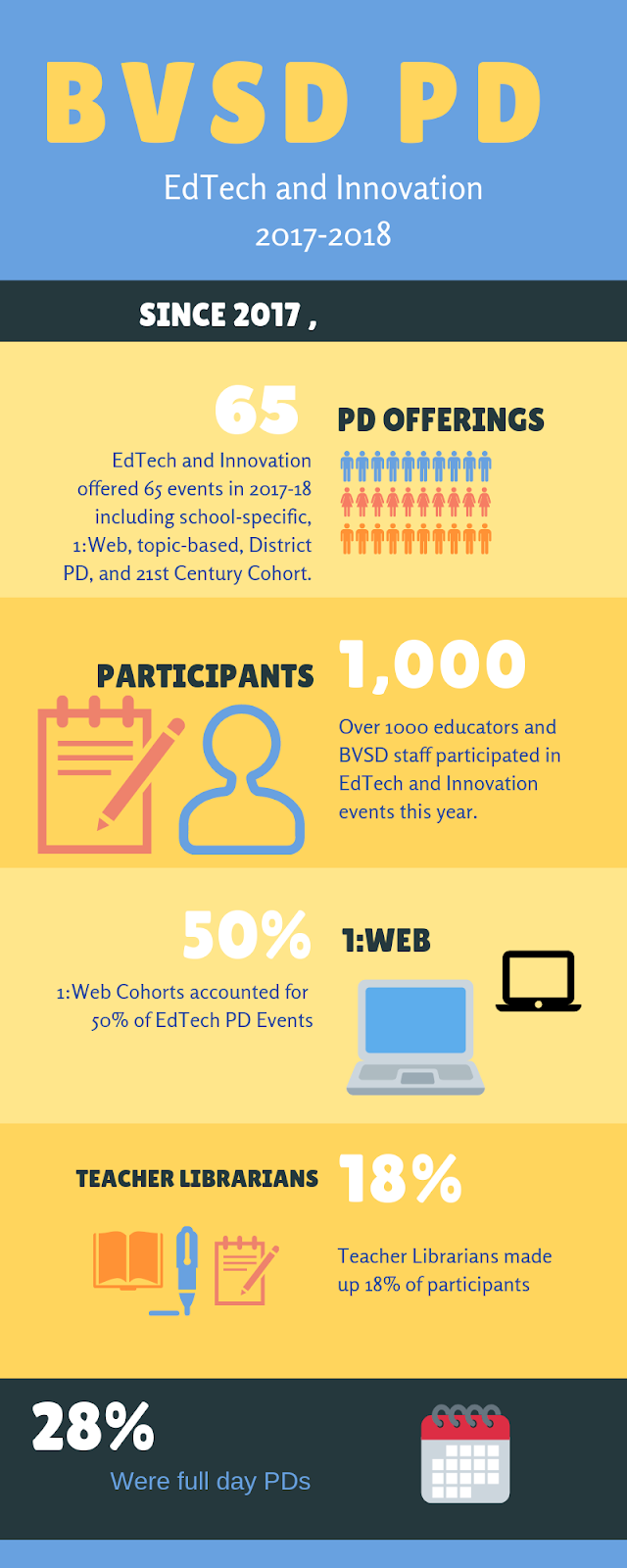
In the 2017-2018 school year, EdTech offered 65 different professional learning opportunities that over
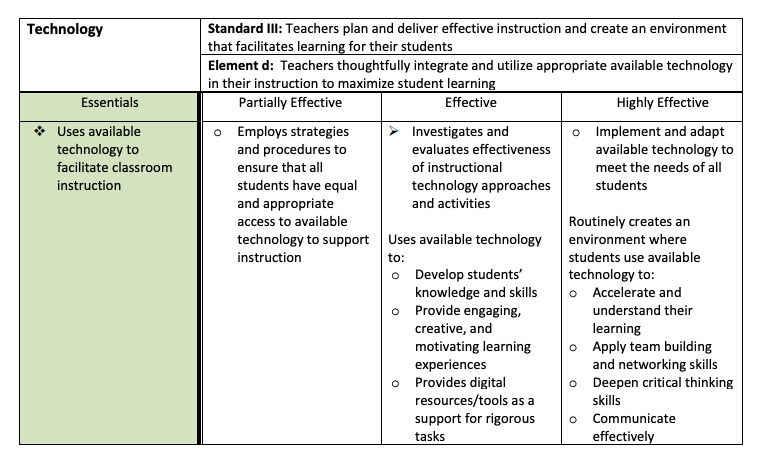
1000 educators took advantage of. These opportunities support CO state standards and BVSD Teacher effectiveness standards.


High-quality PD is vital to the success of our students in future endeavors post-high school. Whether that
be college, career or vocational training, our goal is to ensure BVSD students are prepared
for the world economy they will enter. Our educators are dedicated to learning the latest innovative
teaching strategies and besides PD and workshops, over 4000 BVSD employees checked out
Professional Learning Books and Audiobooks from the BVSD PL OverDrive library which contains
200+ PL titles. The continued desire for Professional Learning from BVSD educators is inspiring and
EdTech will continue to create and offer Face to Face, Blended, and Online Professional Learning
opportunities for those who want to learn. Currently, we are developing a series of PD modules that are
a single topic, brief, and connected to other modules to provide anywhere, anytime PD. These will be ready Summer, 2019.


Thursday, February 14, 2019

Teacher Spotlight: Creating Interactive Presentations with Holly Hughes


Holly Hughes, a 1st-3rd grade teacher at Community Montessori, received a class set of Makey Makey devices through the Jared Polis Foundation Technology Grant (currently on hiatus). Excited by the potential new ways to engage students and help them develop future ready skills, she began brainstorming project ideas. Makey Makey allows students to learn about circuits through an infinite number of projects, limited only by one’s creativity. The use of these tools naturally lent itself to the circuitry unit Holly’s students were beginning.

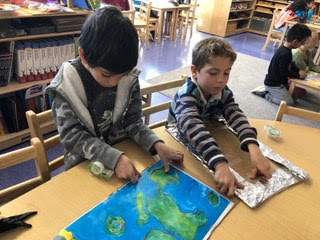
Makey Makey shines when applying curriculum standards and integrating other tech tools, so the scope of her project plan quickly evolved to do just that. Holly wanted her students to apply their knowledge of circuitry to what they’ve learned about geographical features by making interactive presentations.

This project was ultimately successful due to Holly’s thoughtful grouping of students, parent support, and well-paced scaffolding. Holly led a series of lessons and activities to develop the mindset and skills students needed to complete this project. Topics covered during these lessons included:
  • Reviewing how open and closed circuits behave differently 
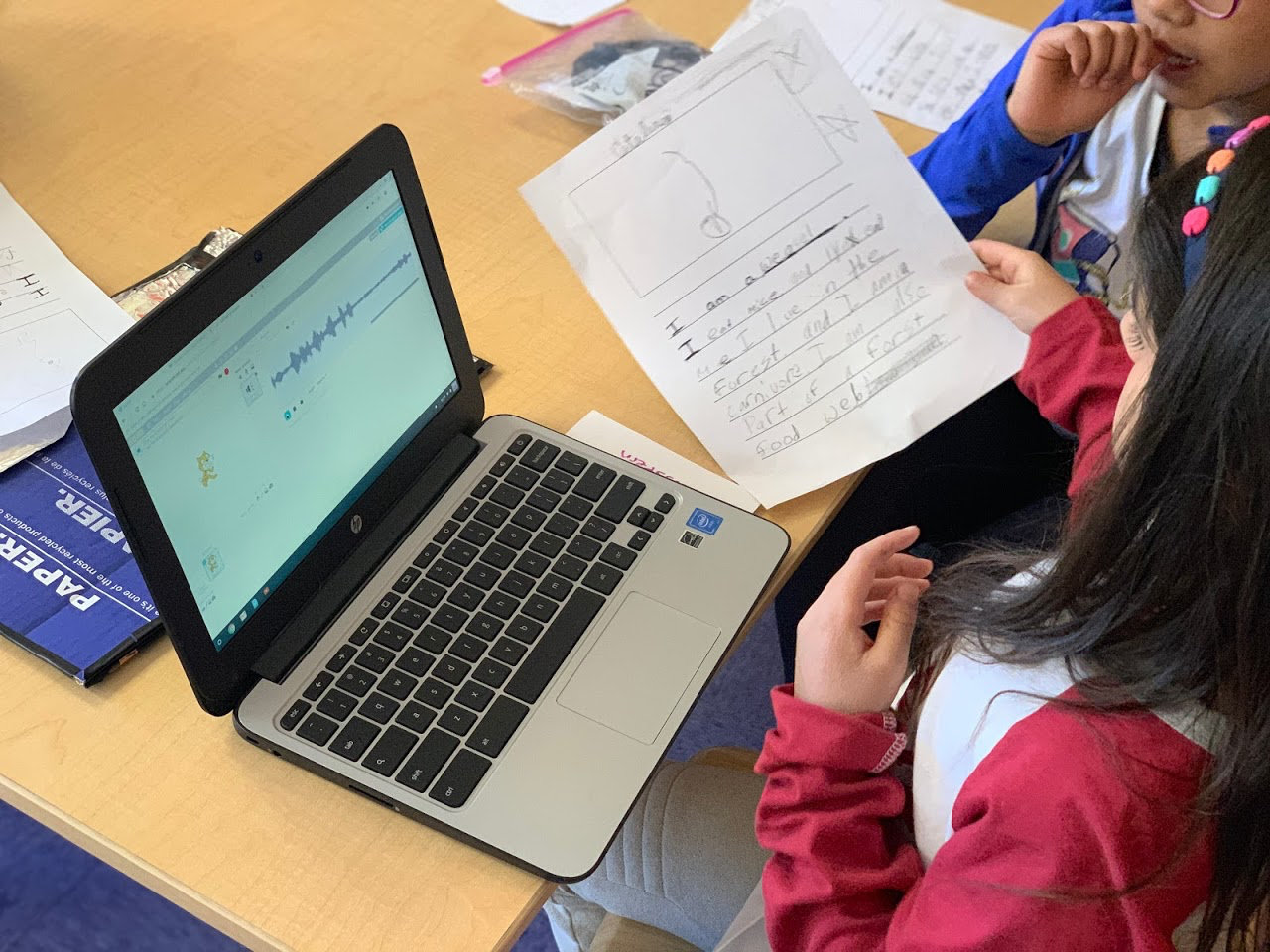
  • Learning basic coding skills in Scratch to create actions that the buttons would trigger (voice recording playback)
  • How to properly apply copper tape, aluminum foil, and electrical tape on a physical poster to create different circuits. Foam buttons closed the circuits when pressed. 
  • Practicing writing, reading, and oracy skills by recording their content into Scratch
  • Connecting wires to the Makey Makey and the physical buttons
This project highlighted how technology can support the development of many different skills simultaneously. In addition to promoting creativity, collaboration, communication and critical thinking, multiple ISTE standards for students were reflected (see below). Through the use of these digital tools, students were able to grow as Knowledge Constructors and Computational Thinkers.  

If you are interested in experimenting with Makey Makey, be sure to look into the Mobile Maker Kits we have available to borrow. If it’s been a while since you’ve used Scratch, don’t miss their latest 3.0 update. And as always, your school’s Ed Tech Specialist is available to help support!


ISTE Standards
Student 3c: Students curate information from digital resources using a variety of tools and methods to create collections of artifacts that demonstrate meaningful connections or conclusions.
Student 5d: Students understand how automation works and use algorithmic thinking to develop a sequence of steps to create and test automated solutions.
Educator 1a: Set professional learning goals to explore and apply pedagogical approaches made possible by technology and reflect on their effectiveness.
Educator 5b: Design authentic learning activities that align with content area standards and use digital tools and resources to maximize active, deep learning.
2020 Colorado Academic Standards
Reading, Writing, & Communicating Std. 1:  Oral Expression and Listening - Participate cooperatively in group activities
Science Std. 1: Physical Science - Show that electricity in circuits requires a complete loop through which current can pass

Tuesday, January 22, 2019

Teacher Spotlight: Data Privacy Day in the Classroom with Mai Vu


Data Privacy Day is an international effort held annually on January 28 to create awareness about the importance of respecting privacy, safeguarding data and enabling trust. Privacy and protecting personal information is not only important to BVSD, but something we are striving to teach our students about to prepare them for their futures.

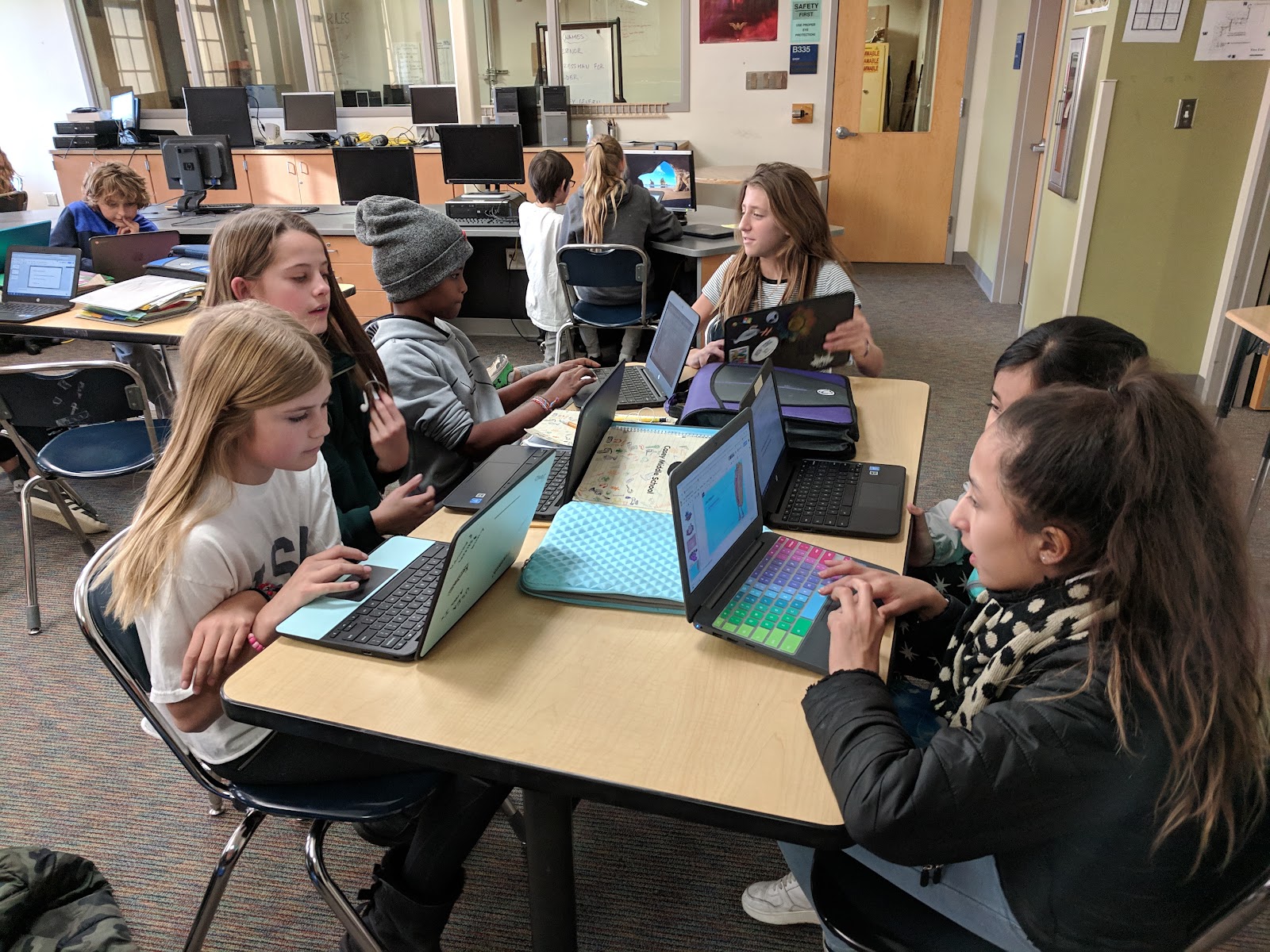
In this teacher spotlight, we will hear from Mai Vu who is a teacher at Casey Middle School where she teaches Applied Sciences, Intro to Computing, and Design Technology. Throughout these courses, she carefully weaves in thoughtfully designed lessons around cybersecurity that mirror experiences students will have in the real world when it comes to data privacy, security, and safety. Learn more about her and her student’s work below.


What are your main goals when teaching students to manage their personal data and maintain digital privacy and security?

Students who are taking this class were born in the same year as the introduction of the iPhone and they do not know what it means to NOT have access to WiFi or to NOT be online. Internet connection is a utility to them--it’s always been a part of their life.

With this as the backdrop, my main goal is to help students make smart decisions when they are online. Using the guiding principles from the “Be Internet Awesome” curriculum by Google, we look at the fundamentals of digital citizenship and infuse it with cybersecurity.  When the students leave my class, they can “play safe, learn safe and stay safe” online.


What do you think is the most important thing to teach students about cybersecurity? 
Why? 
Even as software and artificial intelligence continue to improve for early detection of cyber threats, we will always need humans to interpret, analyze, and make sense of the mountain of data. Utilizing a concept called “Defense in Depth”, which is a multi-layered approach to cybersecurity, I like empowering students to understand this concept so they can help themselves, their family, and their community to reduce their exposure to cyber crimes. The “bad guys” will always be one step ahead of us. The best way to thwart these crimes is through education. Concentrating on soft skills such as critical thinking and the concept of misinformation is a great start towards a career in cybersecurity. The technology will continue to change and evolve, but the need for critical thinking, teamwork, and strong communication skills will always be in demand since many failures are due to human error.

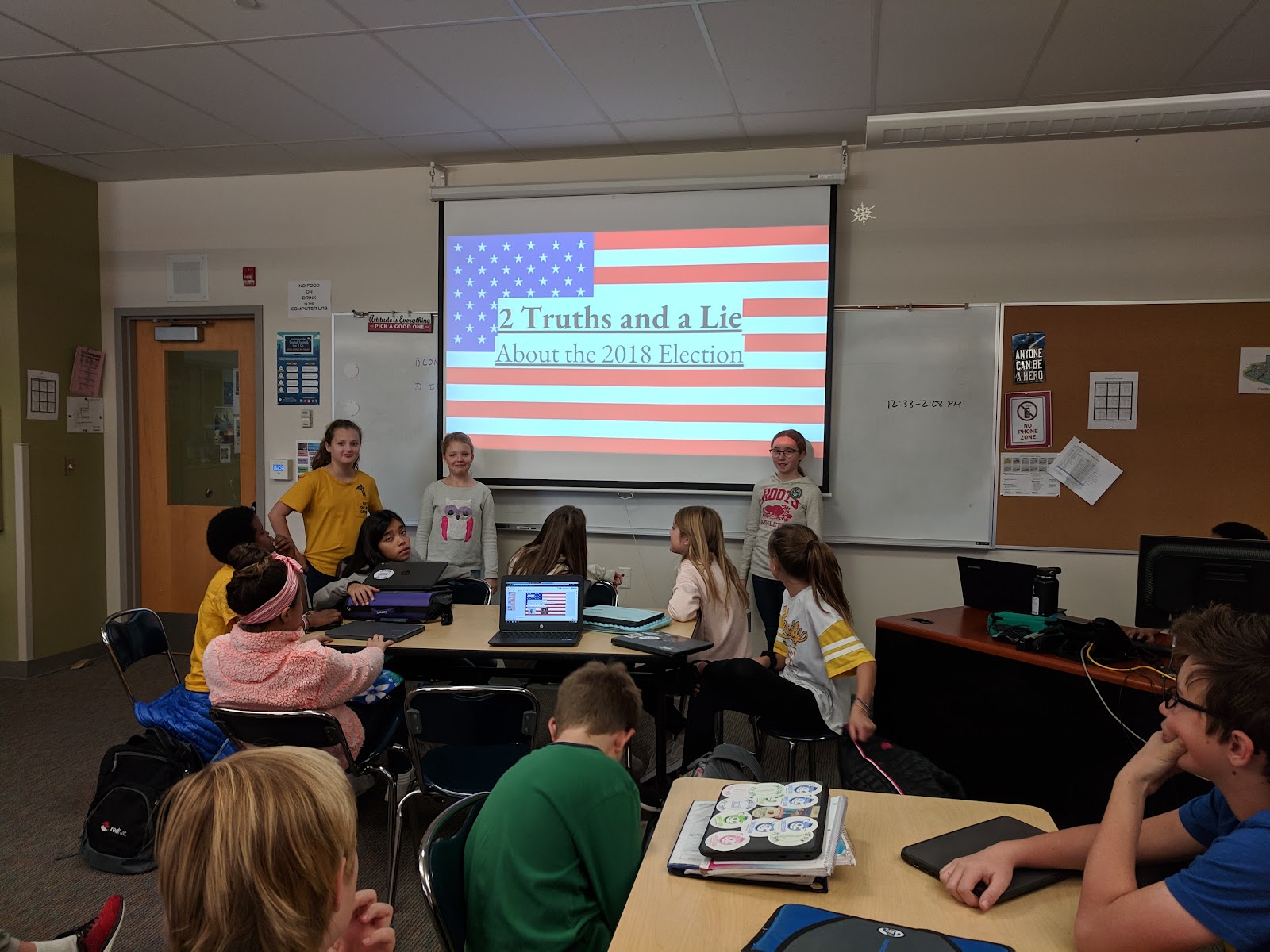
In the above picture, to illustrate the concept of misinformation while combining civics, the students created a game called “Two Truths and a Lie” to test their fellow colleagues about our newly elected officials.


How do you teach students to apply cybersecurity practices and concepts into real life?
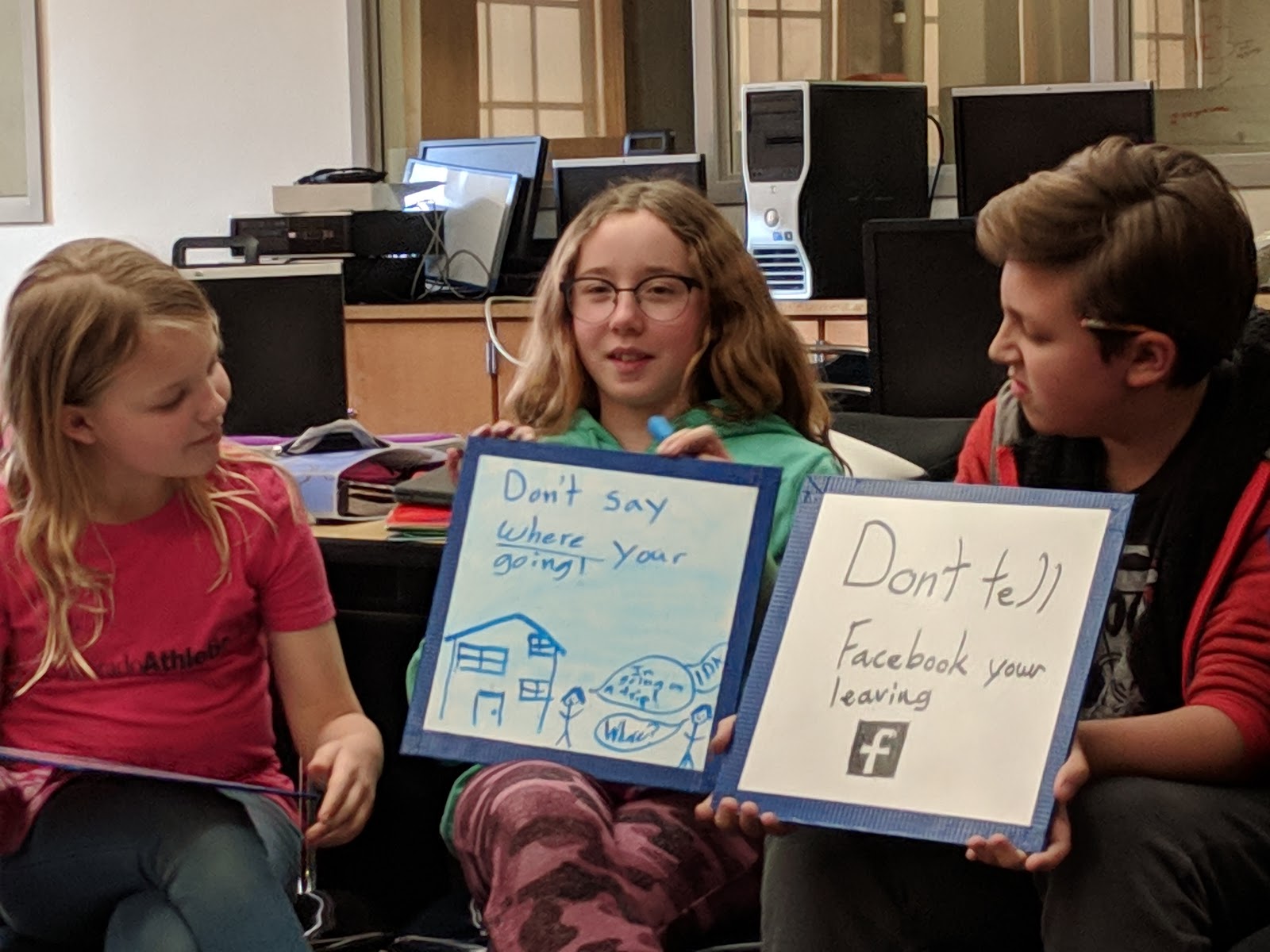
I like to take current events and use it to set up a lesson activity. In this example, as students were preparing for their Thanksgiving break, we discussed actions they could take in preparation for traveling out of town. Burglars like to use social media postings to find their next victim, and we discussed ways to prevent these types of crimes. One suggestion was not to post pictures until they came back from their trip, or not tell the world they are leaving for a trip.


What is your student’s favorite thing to learn in your class? 
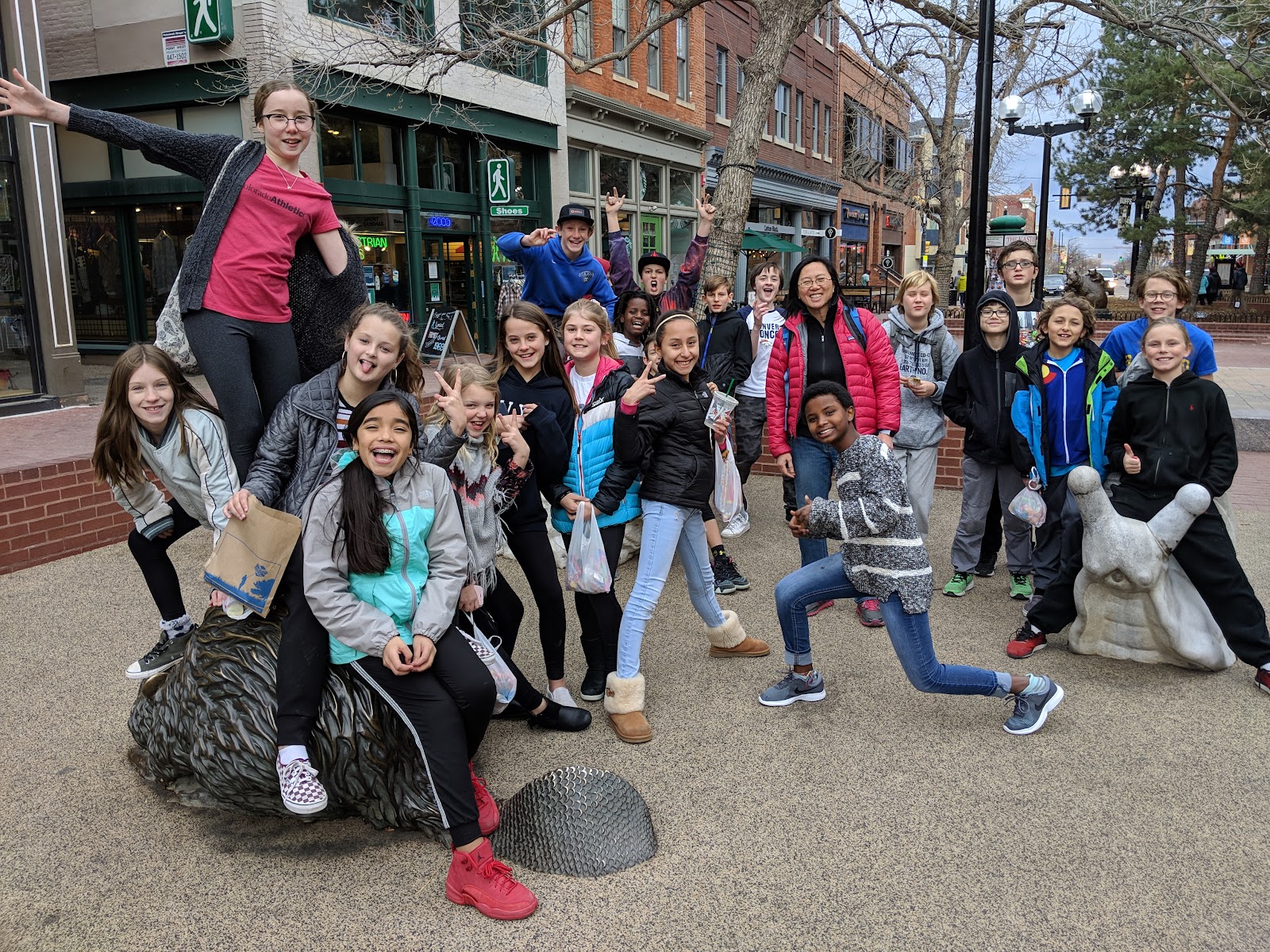
At the end of the year, we do a walking field trip to the Pearl Street Mall area to bring home the point that cybersecurity touches every single aspect of their digital lifestyle. Students are allowed to bring their cell phones and/or tablets to take pictures with their friends and then post it on their personal social media site. I try to recreate what they would do on their digital devices if we were not in a school setting. One of our stops is at Starbucks, and we review the safety considerations of using free public WiFi. What things should you look for when logging into a free WiFi location? How can we ensure that we are not being spoofed, etc?
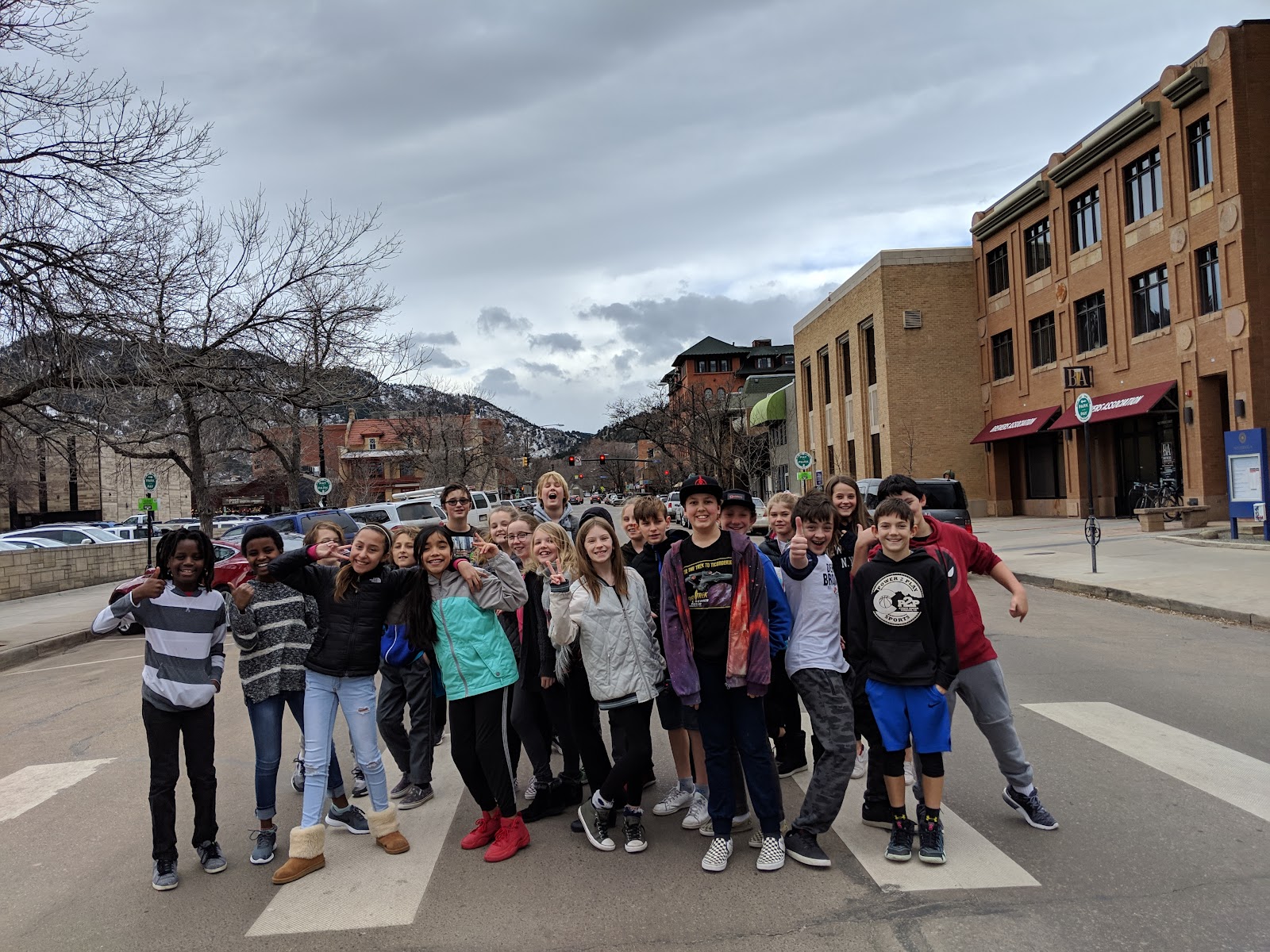
This year we added the concept of “war driving”, an action in which individuals drive around capturing network data and usage information. In our case, it was “war walking”, trying to accomplish the same goals on foot. During our walk, they observed the various wireless routers and personal hotspots that pop-up on our route and then, when we got back to the classroom, we used Google Maps to identify the exact location of the WiFi signals. They were amazed at the free tools available online for “war driving”, as well as the amount of information being emitted by all digital devices, such as Bluetooth signals. In addition, this outing provided an impetus for the students to speak with parents regarding securing their home routers.

Lastly, when we get back to the classroom, we look at the pictures they took and learn about EXIF data, the vast personal information which can be gathered from digital photos. They did not know this information existed and, once they are exposed to it, they do not feel as comfortable sharing these pictures on their social media accounts. Moreover, students think it is “creepy” that someone could have all of this information about them, and yet they themselves provided it. As a result, they are now more cautious about the personal contents they are uploading.

Are there any competitions or events where students can join to compete in cybersecurity to help increase cybersecurity awareness?
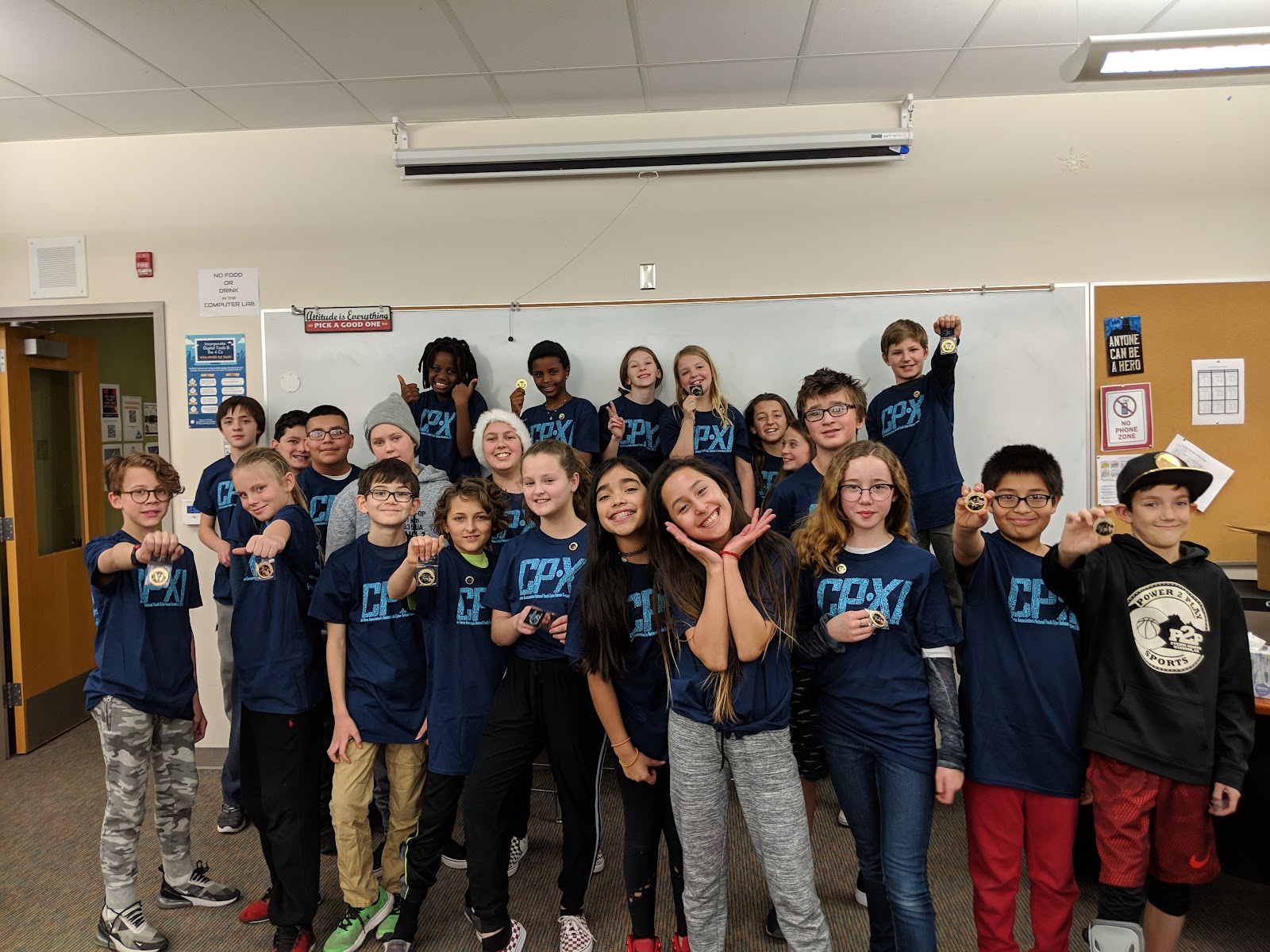
The government has recognized that teaching students about cybersecurity are a major priority to help close the current labor force skills gap.  By 2021, it is predicted that we will have an estimated 3.5 million unfulfilled cybersecurity positions. To help increase the workforce pipeline, the government has created a national youth cyber education program, CyberPatriot. A focus of this initiative is to inspire students to compete in a national cybersecurity competition. High school and middle schools students are put in the position of newly hired IT professionals and tasked with managing the network of a small company. During the competition, teams are provided with a set of virtual images, representing operating systems, and are tasked with finding cybersecurity vulnerabilities within the images. In addition, at the same time, participants are tasked with hardening the system while maintaining critical services in a six-hour period. Here is the NBC news segment highlighting this program.

We are proud to be the only middle school in BVSD to have competed in this competition for the past two years. And while the students strongly enjoyed competing, they also gained valuable lessons in perseverance, critical thinking, and teamwork that will prepare them for future opportunities

What is the one thing you want people to know or understand about teaching cybersecurity?
The field of cybersecurity is expanding rapidly, and ALL students need to be exposed to this subject as everything is going online. If it is connected to the Internet, then there is a risk of it being compromised. Thus, if students are aware of simple techniques, such as not to re-use the same password across all digital devices, then they could minimize the potential damage. Teaching students to “Be Internet Awesome”, and elevating their cybersecurity awareness, will minimize the potential damage to their digital lifestyle.


Are you interested in teaching your students to be more #privacyaware ? Don’t forget that safety and security is a component on the BVSD Digital Citizenship Scope and Sequence where you can find key learning objectives as well as lesson plan ideas for grades K-12.


Wednesday, January 9, 2019

Schoology & Infinite Campus Integration is here!

We are excited to announce that the Schoology and Infinite Campus (IC) integration is now available! This integration means that you will now have the ability to transfer grades from your Schoology class into IC. Here is what you need to know:
  • If you are NOT using Schoology, you can set up your gradebook in IC whenever you would like. You will notice there are a few changes in IC due to the update but for the most part, IC will look and perform the same. For example, you will be able to create comments for students on assignments and copy student data from section to section.    
  • If you ARE using Schoology and would like to use the gradebook sync, you can follow the directions in the presentation below. 


  • If you ARE using Schoology but do NOT want to use the gradebook sync, you may see duplicates of your courses in Schoology. You will have to ignore the synced course for the rest of the year as it cannot be deleted. If you are expecting to see a course and you don’t, you may find it in your archives; un-archive it, and continue using it for the rest of the year. 

Are you interested in learning more about Schoology but not sure how to get started? The Schoology Help Center offers great step-by-step tutorials or you can review the presentation below.

Thursday, January 3, 2019

BVSD Ed Tech Twitter Challenge is Back!

It’s hard to believe that we are already halfway through the school year and ready to start off 2019. For many of us, a new year means new resolutions both personally and professionally. We know that this means that you may be looking for new ways to thoughtfully integrate technology into your instruction.

Luckily, we know that BVSD is full of creative and innovative teachers that are eager to learn from one another by connecting and sharing ideas. Does this sound like you? If so, BVSD Ed Tech challenges you to participate in our second annual Ed Tech Twitter Challenge!

Starting January 7th, we challenge YOU to participate in 10 days of Ed Tech tweeting! Each day, you will have one new “challenge” to share on Twitter in hopes that you will showcase your instructional shifts, tech integration, learn from your colleagues, and find new ideas for utilizing educational technology in 2019. This challenge isn’t just for BVSD educators though, we want you to tap into your Professional Learning Network (PLN) and have them engage as well!

To participate, simply look at the prompts below, tweet each day, and include the hashtag #BVSDLearns. Remember that a Twitter challenge is about more than just posting, though. Make sure you participate fully by following a colleague, posting a comment or question, retweeting or quoting another challenge participant, tagging us at @BVSDEdTech, and following any of our hashtags like #bvsd1toweb, #bvsd21cc, #makeBVSD, and #BVSD. For more great Twitter tips try checking out The Teacher’s Guide to Twitter or 10 Tips for Teachers Using Twitter. We can’t wait to see what you have to share this year and to celebrate the hard work of both students and teachers. On behalf of the BVSD Ed Tech Team, we wish you a happy 2019 and look forward to learning and sharing with you!