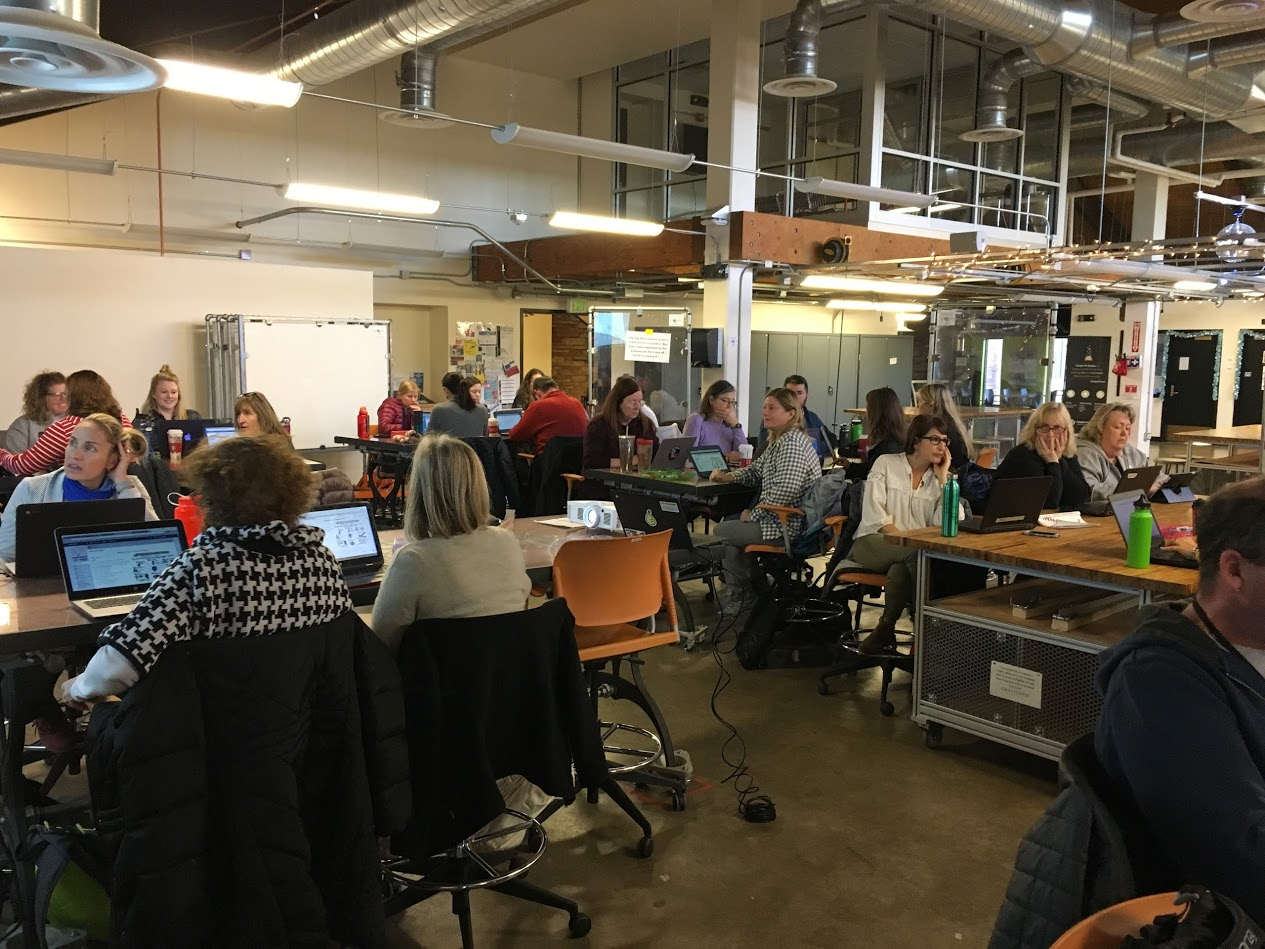
After three years of hard work and dedication, members of the 21st Century Cohort 3.0 celebrated their graduation on January 23rd. Principals, family members, and friends joined together to honor their accomplishments on this special occasion.
Every school that participated in Cohort 3.0 was asked to create a digital story that captured their cohort journey and demonstrated evidence of personal and student growth. Digital stories came in all shapes and sizes, including videos created in WeVideo, Powtoon, Sock Puppets, and even an I Am Poem. Check out some of their videos below:
Molly Kirk, Foothill Elementary
Bethany Konz, Louisville Middle School
Kristin Bialick, Birch Elementary
Molly Hoverstock, Casey Middle School
When teachers were given the chance to share a brief word about their three years in the 21st Century Cohort, some of the highlights included:
Appreciation of a risk-free environment to try new tools and strategies
Gratefulness for the opportunity to extend their own learning
The benefits of collaborating and learning together in a community over three years
Excitement about new connections that were developed as a result of this cohort
The cohort was not about tech, but about connections, collaborations, and pedagogy
It was a great honor to work with this talented group of leaders and risk-takers over three years. We wish them the very best in their classrooms and school buildings as they continue to learn, reflect, and share.
As we begin the new year, one of the highlights for the educational technology team is the expansion of BVSD’s 1:Web program! BVSD began visioning a 1:Web initiative in 2013 and instituted a pilot program in 2014-2015. The board approved the 1:Web program for 5th-12th grade in March 2017, leading the way for this expansion.
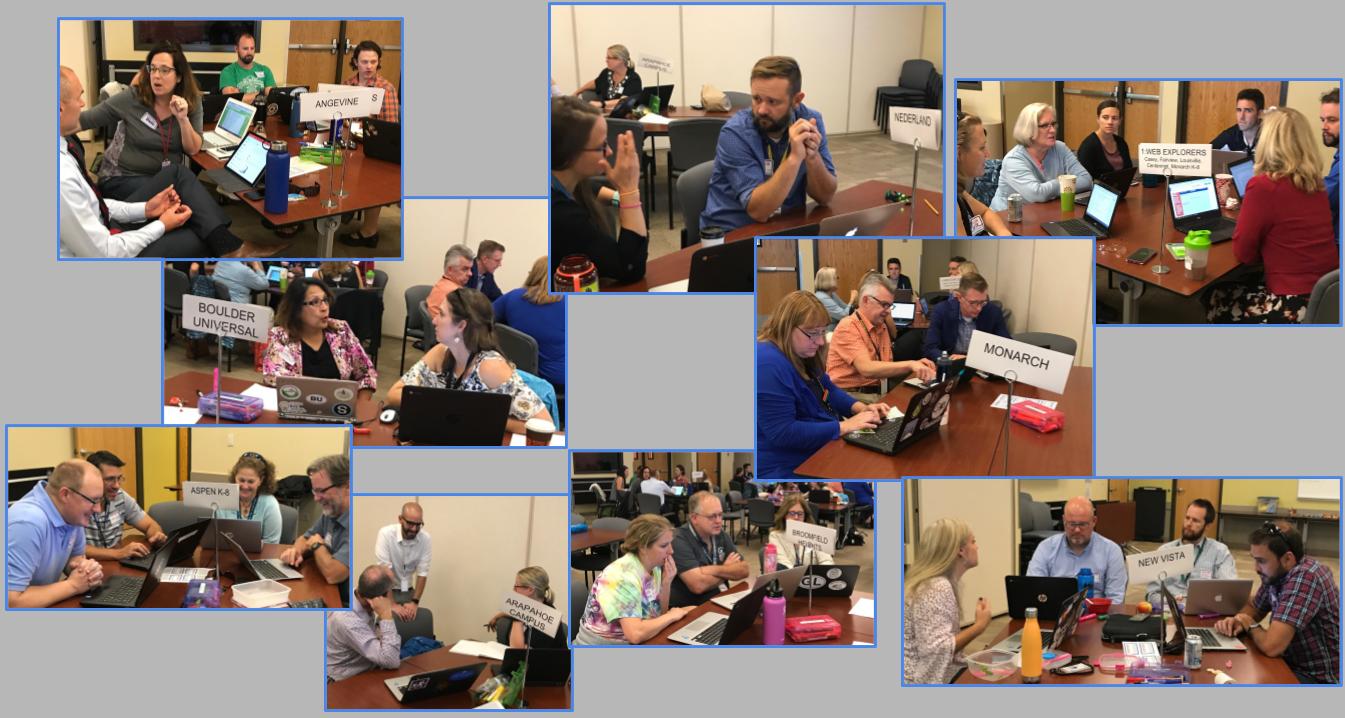
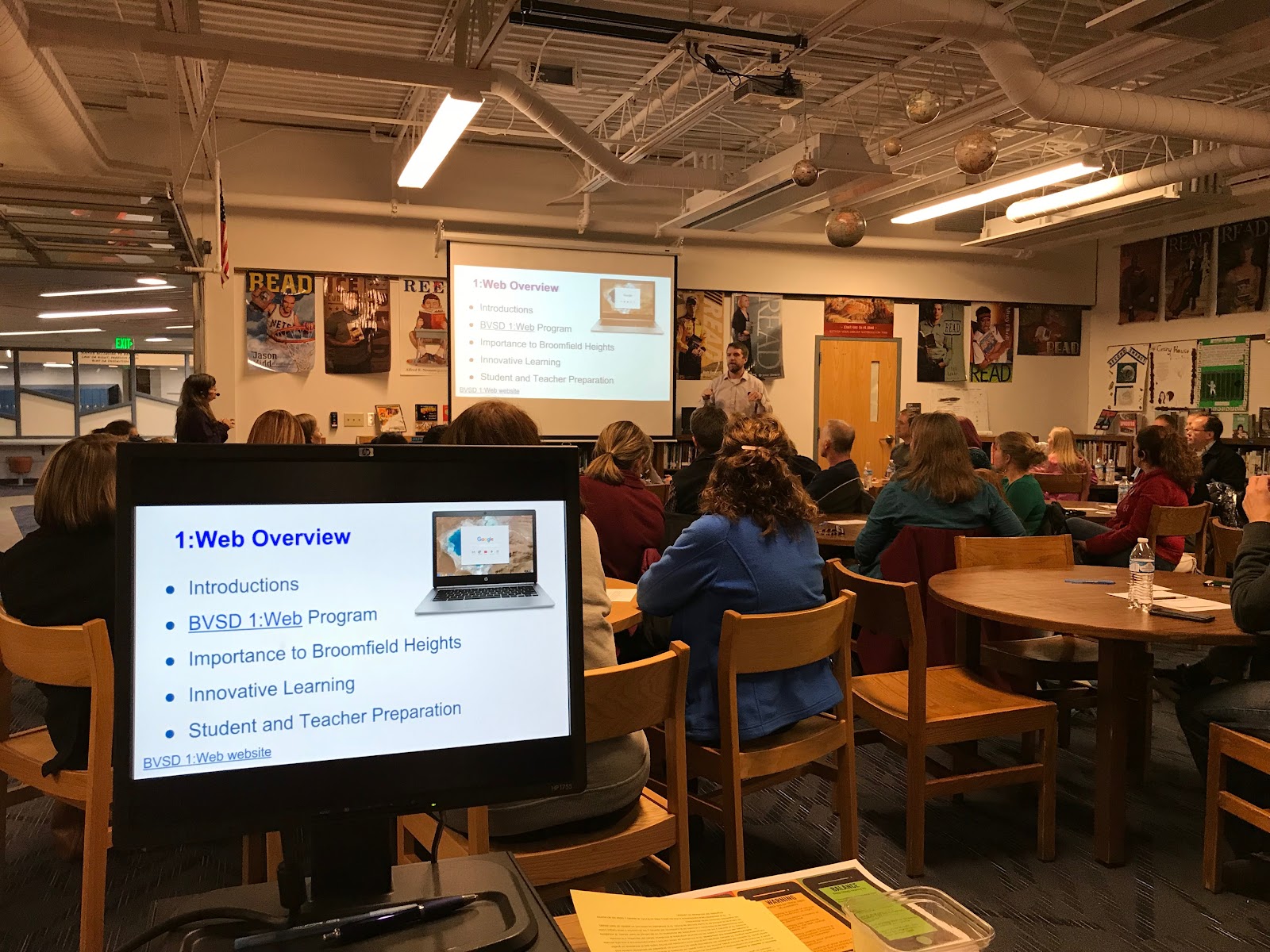
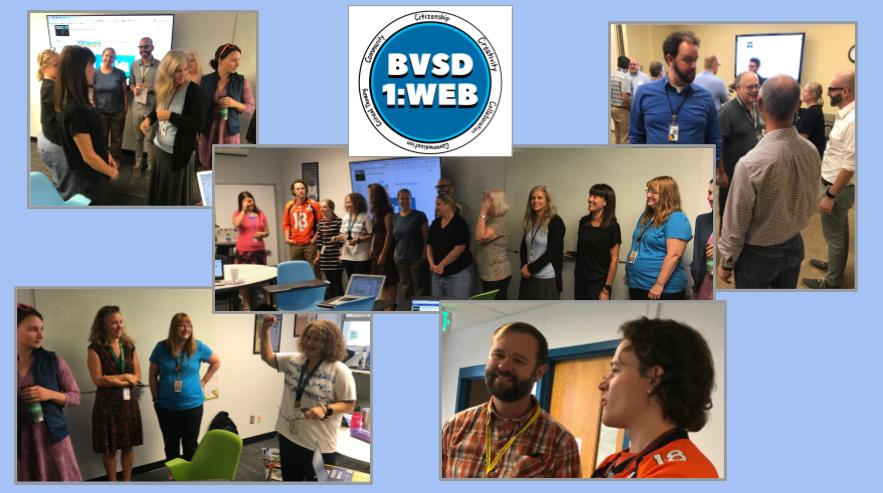
Although we are excited about the Chromebooks in our 1:Web schools, the 1:Web program is much more than the device. Teachers and administrators have been meeting as a cohort since last May to prepare and learn from each other. At each school, the staff has engaged in professional development about how to use technology to truly enhance student learning, focusing on the 4 Cs: creativity, communication, collaboration, and critical thinking. The 1:Web program is also a key piece of our efforts to address the digital divide in BVSD and give all students an equal opportunity to learn.
Students are receiving direct instruction in digital citizenship, as well as practical tips about how to care for their device. They are also engaging in conversations about when it is appropriate to use these tools and when they need to be put away. Many of the 1:Web schools are using this as an opportunity to have students create their own digital citizenship messages. Check out the picture below of Arapahoe Ridge students creating video projects to teach other students about digital citizenship using WeVideo, Chromebooks, iPads and more. As our world becomes an increasingly digital place, it is more important than ever for educators to incorporate these conversations into the classroom! A YouTube playlist has been created to share these student creations. Check back as this resource continues to grow.
Schools are actively involving their parents every step of the way. The 1:Web program would not be a success without the partnership between the schools and their families. Prior to implementing the program, each school has invited families to engage in a discussion and demonstration regarding instructional and learning shifts in classrooms. At each meeting, teachers and administrators outline the why, the process that the school has taken, the professional development that the schools and students are undergoing, and how parents can continue to stay involved as the journey progresses.
We are excited for all of the learning that will occur with the approximately 800 devices we are deploying in January! Additionally, we look forward to implementing the 1:Web Cohort 2.0 with new middle and high schools who will be joining the program in the 2018-2019 school year.
Video is an ever evolving form of educational technology, however more often than not, the way educators have used video in their classrooms has not evolved quite as quickly. One invaluable tool that is available to all teachers throughout the district is YouTube. Below are five tips for better utilizing YouTube in your classroom.
1. Uploading Your Own Content
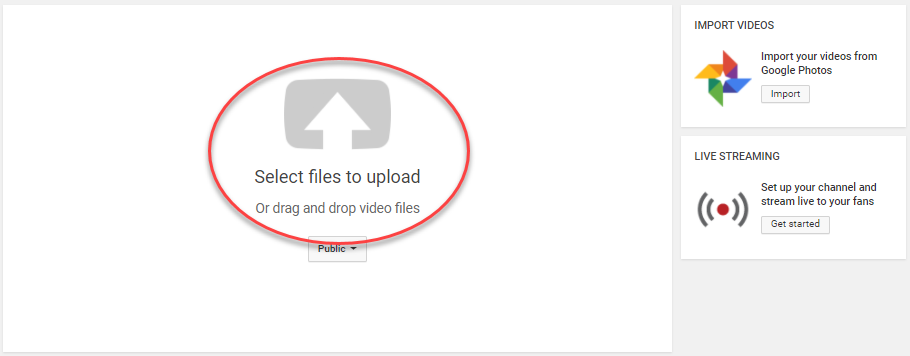
YouTube isn’t just a place for you to watch videos, you can also create your own content and upload it to your channel with ease. To get started making your own videos, we recommend checking out the district-supported tool, WeVideo. Once you have your videos created, you can upload them, then customize everything including the video description, title, privacy settings, and thumbnail.
2. Building Playlists
Playlists are a feature of YouTube that allow you to organize a customized collection of videos. You can build playlists with your own content or by curating other videos, then share the lists out for others to view or add on to. Learn how to make, find, edit, and delete your playlists here. Also, don’t forget that in order for your students to view the videos in your playlist, you need to make sure each video is approved for BVSD by checking the blue status bar at the bottom of each video.
3. Sharing your Channel
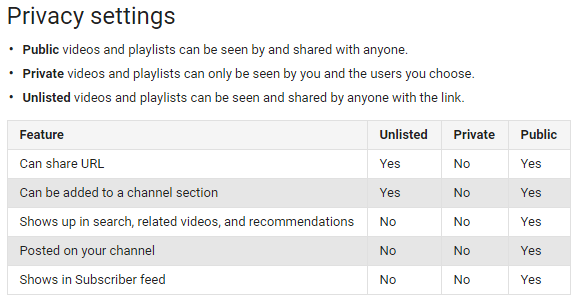
Sharing your YouTube channel with students, parents, and the community can be a great communication tool. If you’re nervous about who can see your content, have no fear! YouTube allows you to adjust the privacy settings to customize it for your intended audience.
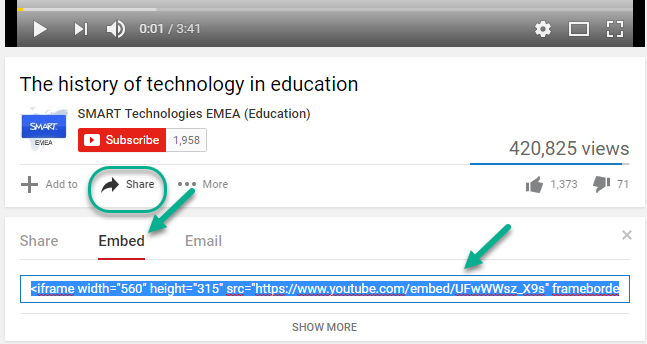
Share your videos easily by clicking on the “Share” button at the bottom of every YouTube video. From here you can grab a link to send or the HTML code to embed it on your website or in Schoology.
4. Go Live with Broadcasting
A live broadcast gives you the capability to interact with your audience in real time, easily share your videos with very little lag time, and save your broadcast for others to view later. YouTube Live is an easy-to-use tool that is available to all teachers in BVSD with their Google accounts, and all you need is your Chromebook! Check out this video to see how to use YouTube Live (*Note that some features listed are not available in an educational account).
5. Find Other Great Channels
One way to keep up with valuable content on YouTube is to subscribe to different channels. By clicking thebutton, you will add the channel to your list of subscriptions, plus you can choose to receive alerts whenever the channel posts a new video by clicking the
icon. Subscriptions are also great for finding channels that are specific to the content that you teach so you can view the most up-to-date resources. Below are some great channels for you to check out, plus don’t forget to subscribe to the Ed Tech Team YouTube channel!
Hopefully using these quick tips will help you get started using this valuable video tool in your classroom. If you are interested in putting more YOU into YouTube, contact an Ed Tech Specialist or tweet us at @BVSDEdTech.
It’s a new year and a fresh start for many schools throughout BVSD especially as seven schools are preparing to deploy Chromebooks this January with the 1:Web program. But it’s not just our 1:Web schools that have new and exciting ed tech happenings. We know that there are creative and innovative things happening in every classroom and would love to connect our teachers and schools to see what others are doing, to grow one another’s professional learning networks, and to celebrate the hard work of both students and teachers.
To share your innovative work, BVSD Ed Tech challenges you to participate in our first ever Ed Tech Twitter Challenge! Starting January 16th, we challenge YOU to participate! Each day, you will have one new “Ed Tech Resolution” to share on Twitter in hopes that you will showcase your instructional shifts, tech integration, learn from your colleagues, and find new ideas for utilizing educational technology in 2018. Anyone can participate in this New Year’s challenge by simply looking at the prompts below, tweeting each day, and including the hashtag #bvsdlearns. Remember that a Twitter challenge is about more than just posting, though. Make sure you participate fully by following a colleague, posting a comment or question, retweeting or quoting another challenge participant, tagging us at @BVSDEdTech, and following any of our hashtags like #bvsd1toweb, #bvsd21cc, #makeBVSD, and #BVSD. For more great Twitter tips try checking out The Teacher’s Guide to Twitter or 10 Tips for Teachers Using Twitter. We can’t wait to see your resolutions and wish you a Happy 2018!
On December 6th nearly 50 Innovation Cohort 2.0 members from seven schools gathered to continue exploring how the new innovative spaces in their buildings are shifting instructional practices. Kiffany Lychock, Director of Educational Innovation, and Kelly Sain, Director of Education Technology, modeled ways to encourage collaboration, creativity, and empathy, characteristics of a growth mindset. The overarching theme for our time together was how to gather data on the impact the new spaces are having on teaching and learning and how to interpret and communicate this data for stakeholders.
We began the day at the CU Boulder’s Idea Forge, which is a flexible space for engineering students to work and produce a wide variety of projects and products. Innovation Cohort members toured this student-centered space, saw first-hand students who were actively engaged in essential 21st Century Skills, and made authentic connections to BVSD’s Innovative Guiding Principles (IGPs).
While at Idea Forge, attendees participated in a fun, collaborative design challenge activity named The Extraordinaires. Through team discussions, iteration, and critical thinking, participants identified the unique needs of different characters/personas and designed solutions for them. Connections were made to the book The Innovator’s Mindset, and discussions were held around making instructional shifts in our schools. Understanding how empathy for a diverse group of students informs how we utilize spaces is a powerful element of this work.
Moving forward, the cohort will continue to reflect on how to implement professional learning at their schools that harnesses the potential of student-centered instruction. Cohort members will further investigate how the innovative environments in their schools are positively impacting student-centered learning experiences.
Are you ready to re-energize and reward your students? Try using Kahoot!, a fun formative assessment game that can be used to survey opinions, initiate debates, and gamify your classroom.
Check out how engaged students are as they create, play, and share their learning.
While you can easily make your own Kahoot, sometimes you just need one that has already been created. Have you investigated the many Kahoots already created for education? Since winter break is coming soon, perhaps you can play some of the Kahoots listed below:
Another great part of Kahoot is that it isn’t just about the teacher! We always support students as creators, and using this tool, students can make their own games and quizzes. They could easily use their creation and design skills to put together their own Kahoots as a learning objective for the unit, semester, or year. Wouldn’t it be fun to have a review for a final exam via student-generated Kahoots? Check out this example from a BVSD Spanish 3 class.
Already trying Kahoot in your classroom? We would love to hear from you! Chime in and share some of the Kahoots that you or your students have created by commenting below or tweeting us @BVSDEdTech!
Does that sound exciting to you? Then you should sign up for #DitchSummit!
Matt Miller, the author of Ditch That Textbook, put together the first annual #DitchSummit last year. In his words, “the Ditch That Textbook Digital Summit is a nine-day, FREE virtual event. It brings together some of the brightest minds in education to discuss technology, pedagogy and more.” Ed Tech Specialist Aubrey Yeh attended it over break, and she found it to be an amazing (and convenient!) learning experience. During each day of the summit, a new video is released, along with a notes page, and it can be watched whenever you have time. Aubrey said that after each video, she not only felt inspired, but had plenty of new ideas and resources to fuel her own professional learning and share with others!
Not sure you have time for all nine videos? No problem! You can pick and choose which ones you want to watch. And the best part? It’s all free, so you don’t have to feel bad about wasting money if you don’t get the chance to take full advantage of each session (the videos are only available through the end of December).
This year’s summit doesn’t begin until December 15th,so sign up today at ditchsummit.com. As a bonus, all of last year’s videos are currently LIVE, so you can start earlier and get double the PD! This is a great opportunity for all BVSD teachers, especially if you are at a 1:Web, Distance Learning, or Exemplar school. So kick back, grab a nice cup of hot chocolate, and get your learning on this December!