Pages

Tuesday, August 25, 2015

Ed Tech Software 2015-16

A new school year is a great time to become acquainted (or reacquainted) with your resources. The Ed Tech team is here to help you integrate technology into your classroom in meaningful, transformative ways. By providing quality software and professional development, we help create an environment where successful, curious, lifelong learners can flourish.


Our goal is to select software titles that can be used across the curriculum and on any device, so that students have anytime/anywhere access to learning. Read about our software journey and selection process.


Below we’ve listed some software for you to explore. For the entire list of Ed Tech software and information about how to access it, please visit our Ed Tech Software page.



Wixie is an online software combining a paint program designed to inspire creativity with standards-based curriculum activities. Students can draw, create, record their own voices, make movies and websites—a great publishing tool! It's available for grades K-5 and can be accessed at wixie.com/sitelogin. Login with your Google account. For more information and tips, check out Wixie in BVSD resources.


Student and teacher accounts are updated by IT every school year. The upload always occurs the week after Labor Day. This year (2015) all students will be assigned to their new grade level and teacher on approximately September 8th. In the meantime, student with current accounts can still access and edit their past projects.


After September 8th new accounts can still be added for teachers and students by completing the WIXIE: Adding a New User Form and submitting an IT service request.


Typing Pal is cloud-based typing software for students in grades 2-8. Students tackle a wide range of personalized exercises, animations, and games as they practice keyboarding skills.


Student accounts are organized by school and graduation year. There is no need to create your own class or move student accounts around, since the Ed Tech team and IT move students to the appropriate groups at the beginning of each school year. Use the BVSD Typing Pal site to find out how to access your school’s unique URL for Typing Pal.


Voicethread is an online presentation tool that allows the user to collaboratively create interactive, multimedia presentations and then share these presentations with others. They can embed video, images, and other types of files, then provide narrative and commentary about these resources. Check out this example!


Voicethread is available to students in grades 6-12 and staff at any grade level. Access this tool from your Google Account by clicking the 3x3 grid in the upper right hand corner, as shown below.
For more information about Voicethread, visit their support site.


NoodleTools is an online annotation, citation, and research tool that allows students to collect source information, collaborate on organizing and planning research projects, and publish their works cited pages. Access Noodle Tools and helpful information!


New users create their own accounts by clicking on the login link to NoodleTools, as shown below.


BrainPop is a group of educational websites that display animated, curriculum-based content.


As of 8/26/15, BrainPOP has signed the BVSD Data Privacy Addendum. Access to the service will be restored as soon as the renewed purchase order can be processed.

Training

Schools seeking training on Ed Tech software have many experts and training opportunities available to them. For example, each school’s Tech Contact and Teacher Librarian have been offered training on many key software pieces—these staff members are excellent resources. In addition to the expert in each building, Ed Tech offers Professional Development Opportunities throughout the year. Check out the BVSD Ed Tech website for more information about Ed Tech software and other resources.

Friday, July 31, 2015

Ed Tech PD Year in Review, 2014-15

2014-15 was a great year for Ed Tech professional development at BVSD. Each year more teachers are attending PD and leading PD at schools, district events, and state/regional conferences. This year, BVSD teachers attended PD ranging from site-based trainings to full day events, like Chrome Learning Days and Digi Day. It’s a trend we know will continue as the culture of PD continues to spread throughout the district. Our ongoing efforts to nurture talent, in collaboration with other leaders in BVSD, supports the BVSD Success Effect.


This year we summarized our PD using a tool called Piktochart, which is an online app for creating infographics. Below is an excerpt—click here to view the full version in a web browser.
Ed Tech PD 2014-15 Slide 1.jpg


We have some amazing PD planned for the 2015-16 school year. On August 3 & 4 we kicked off our year of learning with our first multi-day event, Digi Fest. If you couldn't attend, you can visit the Digi Fest site for links to presenter materials, or you can see a virtual archive by searching the Twitter hashtag #digifestbvsd.


We will also be hosting the Google for Education Summit at BVSD for the third year in a row. This very popular event will be on October 10 & 11 at Monarch High.


Are you excited to find an upcoming PD? Are you trying to find materials from an event you attended recently? We collect PD events and materials in one convenient place: our Professional Development page. We hope you bookmark this page and use it as a starting point for finding your next Ed Tech PD.


Finally, another great way to learn about future events is to connect with us on Twitter, @BVSDEdTech. We share lots of fun and thought-provoking ed tech news, including our upcoming PD. Give us a tweet!

Thursday, May 14, 2015

What is ISTE? (Part 3: From the Comfort of your Couch)

In previous posts you learned about the International Society for Technology in Education [What is ISTE? (Part 1)] and how to stay connected all year long [What is ISTE? (Part 2: ISTE throughout the year)]. But traveling to Philadelphia for this year’s annual conference might not be in the cards for you. Never fear—this blog will help bring ISTE to you!  You can attend ISTE sessions online June 28- July 1 and follow the conference hashtag #ISTE2015.
One way to attend ISTE remotely is to participate virtually with ISTE Live. ISTE Live offers you the opportunity to attend three days of sessions from the comfort of your couch. For a fraction of the conference registration costs, you can connect to all three keynotes, over 15 sessions, and multiple peer networking opportunities. Each session recorded for ISTE Live will be moderated by a volunteer that will facilitate an online Q&A. In fact, nine of the moderated sessions will be moderated by your very own BVSD Ed Tech team members. We hope to see you online at ISTE Live!

In addition to attending live recorded sessions, you can connect to ISTE for free through the power of social media. Twitter, Google+, Instagram, and more are all used by ISTE attendees to share their professional development and learning connections. Use the hashtag #ISTE2015 to join in the conversation. Educators are already posting, so jump in now and don’t miss out!

Save the Date: Mark your calendars for the summer of 2016, when Denver will host the ISTE conference in June. This is an opportunity you cannot miss!

Tuesday, May 5, 2015

Digi Day 2015 Recap

On Saturday, April 25, over 160 educators and staff attended the 3rd annual Digital Innovative Learning Day at Angevine Middle. This high-energy day of learning and inspiration directly supported BVSD’s Success Effect strategic plan, specifically the ‘Nurturing Talent’ component, which addresses ongoing professional development and tapping into the passion of educators.
DSC_7898.JPG

The theme for the day was “OK to Play, OK to Fail”, a mindset that encourages people to take risks, try something new, learn from their mistakes, and try again. This theme was embedded throughout the workshop.

Our morning keynote was given by Travis Allen, founder of the iSchool Initiative. This inspiring and passionate young man challenged all of us to embrace the growth mindset, and to move from being anchors to being sailboats in the sea of lifelong learning.
DSC_7917.JPG
Travis Allen delivered the morning keynote address.
Throughout the day participants attended 3 learning sessions, choosing from a total of 27 offerings hosted by BVSD educators, administrators, and special guests. Sessions included:


DSC_7986.JPG
Jamie Smith and Mary Waddell, both teachers from Nederland Elementary, led a session called "Making Information Text Accessible for Primary Students".

Between each session, participants shared, learned, and laughed during built-in collaboration times. For those moments when technology wasn’t cooperating, we had tech medics and members of IT on hand to handle technical difficulties.
DSC_7822.JPG
IT members Joni Gates, Doug Healy, and Andrew Moore were on hand for support.

Our lunch keynote was given by Ed Tech Specialist Erika Morreale with her guest, Columbine Elementary teacher Susan Parsons. Their stories reiterated our theme of “OK to Play, OK to Fail,” with a special emphasis on the growth mindset and becoming a lifelong learner.
DSC_8083.JPG
Erika delivered the lunch keynote.
Our amazing and generous sponsors helped make the day more fun. Otterbox donated cases for our prize raffle; reps from CDW, Schoology, and Tech4Learning were there to support teachers, answer questions, and help facilitate sessions; and Jason’s Deli helped pay for our lunch and gave out coupons. We couldn’t have done it without our sponsors!

So what did our participants have to say about Digi Day?
“I love the opportunity to work with and learn from colleagues!”
“It was worth giving up a Saturday.”
“It was an awesome, inspiring day! Thanks!”
“I learned something in every session I attended.”
“I liked the keynote presentations! I also appreciated that they were given when nothing else was scheduled. I liked hearing about different people's technology experiences.”

DSC_8025.JPG
Participants dressed up at the photo booth.
Digi Day participants engaged in a vibrant backchannel conversation on Twitter during the event using the hashtag #digidaybvsd. Here are just a few comments:
Twitter clip.jpg

100% of Digi Day participants who responded to our survey said they would recommend that their colleagues attend a Saturday Workshop provided by BVSD’s Ed Tech Team. That makes us even more excited to expand this event on August 3 & 4 when we host Digi Fest. Mark your calendars—more info is coming soon!
DSC_7838.JPG
The Angevine library was filled with energetic, engaged educators.


Thursday, April 16, 2015

An Overview of Digital Citizenship


Learning with technology, whether with a math app, a video how-to, or a wiki, opens up a new world of discovery for kids. As students access information in more connected ways, they are preparing for life in a new interconnected, global world. Due to this new connected way of learning, instruction in digital citizenship is more important now than ever before.DSC_7512.JPG

What is Digital Citizenship?

Digital citizenship is more than internet safety. It encompasses the norms of appropriate, responsible behavior with regard to technology use that everyone, adults and kids alike, should adopt in order to have a productive, meaningful, and safe online presence.


Digital citizenship instruction typically consists of eight main components:
  • Internet Safety
  • Digital Footprint & Reputation
  • Privacy & Security
  • Self-Image & Identity
  • Relationships & Communication
  • Information Literacy
  • Cyberbullying
  • Creative Credit & Copyright


As you can see, digital citizenship addresses many facets of a person’s digital presence, including relationships, self-image, and communication. It is increasingly important that we provide students guidance in these areas as they engage more with online learning communities.

Resources for Schools

BVSD Ed Tech supports teachers and administrators when they have questions about how they can incorporate digital citizenship into their instruction and school culture. We recommend that each school builds a digital citizenship plan following the Common Sense Media scope and sequence. You can find this scope and sequence broken into grade level specific lessons on the BVSD Ed Tech Digital Citizenship website. You are also welcome to visit our Bundlr page where we curate resources on digital citizenship.


Please contact an Ed Tech team member if you have any questions about digital citizenship in BVSD.

Thursday, April 2, 2015

Blogging: A 21st Century Communication Tool


What is a blog, and why should I start one?
Blogs, short for ‘web logs’, have increased in popularity over the last ten years. They combine social media and communication to reach a wide audience via the Internet. A blog looks and acts like a website, yet with some important differences.
  • It is organized in a journal format with dated entries. The content is displayed in sections with the most recent submissions at the top. Readers can scroll down through the blog to read past entries. It is a relatively simple way to post and share information with an audience.
  • The journal-entry style of the blog lends itself to being updated more often, as the blog posts can be regular updates or information in a conversational style, rather than updating all the content on a website.
  • A blog can also be utilized as a Web 3.0 tool where the audience can interact and comment as well.
  • Lastly, a blog can be shared as easily as sending a link, making it an important communication tool to keep your community up to date with information and events in a easy to access, easy to manage fashion. Your audience needs the blog link just once, then can revisit the page as often as they'd like and get the most updated posts.
  • A blog will widen your digital presence and help you reach a vast audience.


How to Blog
There are numerous platforms you can start blogging from. Blogger is an excellent option, as it is connected to your Google account. Using these five steps, you can have your blog up and running in about 30 minutes!


  1. Start using Blogger by signing in with your Google Account. After signing in, you will land on your Dashboard.
  2. Click on ‘New Blog’. It will walk you through the steps to give it a title, address, and apply a template to your blog.
  3. Back at your dashboard, you can add your first blog entry. Click on the pencil icon next to the name of your blog. A page similar to a word processing document will open where you will compose your message. You can change fonts/sizes, add graphics, links, and video. When you are finished, you have a few options:
    • ‘Save’ will save your work, but not publish it on your live blog. 'Publish' will both save and publish it.
    • 'Preview' will let you take a look at your published entry.
    • You can revise your entries even after they have been published!
  4. Anytime you want to get back to your Dashboard, click on the Blogger word or icon in the upper left-hand corner of your screen. To see what your blog will look like, click on ‘view blog’.
  5. There are a few key features you will want to play with. From your Dashboard, click on the arrow next to the ‘pieces of paper’ icon, and select ‘overview’.
    • Use the ‘Layout’ feature to add parts to your blog.
    • Use ‘Google+’ to associate your profile with the one you have set up in your Google+ account (optional).
    • Check out ‘Settings’ to manage posts and comments on your blog.
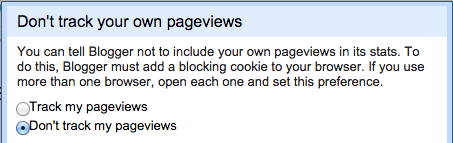
    • In ‘Stats’, set so your statistics will not count your own pageviews in the data.


There are many, many ways to customize your blog. Here are some resources to help guide you.


BVSD Blogs 
  • Superintendent's Blog - Dr. Bruce Messinger, BVSD Superintendent
  • Principally Speaking - John Riggs, Manhattan Middle School Principal
    • Note: John created his blog during the last ‘Principal’s Coffee Chat with Ed Tech’. The next Coffee Chat is for Elementary Principals, scheduled for April 14 from 2:00-3:00pm in the IT Copper Lab. We hope to have a crowd of Elementary leaders there to create their own blogs!
  • Douglass Elementary Blog, via LinkedIn - Jon Wolfer
  • Technology Blog - Andrew Moore, CIO
  • BVSD Ed Tech Blog
Award-winning Blogs from around the country